
在 CSS 中使用 em 设置字体大小
cssweb developmentfront end technology更新于 2024/11/4 6:04:17
要在 CSS 中设置字体大小属性,您可以使用 em。当您需要文本的像素精度时,这非常有用。默认情况下,1em = 16px,2em = 32px。
示例
<!DOCTYPE html>
<html>
<head>
<style>
.demo {
   text-decoration: overline;
   text-decoration-color: yellow;
   font-size: 1.3em;
}
</style>
</head>
<body>
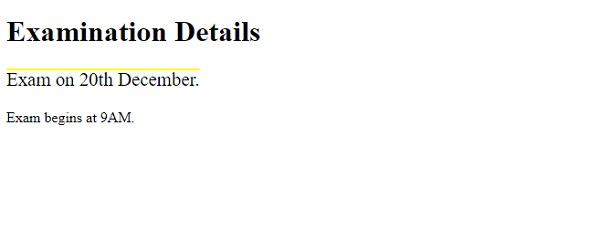
<h1>Examination Details</h1>
<p class="demo">Exam on 20th December.</p>
<p class="demo2">Exam begins at 9AM.</p>
</body>
</html>
输出
示例
现在让我们看另一个例子 −
<!DOCTYPE html>
<html>
<head>
<style>
div {
   text-align: justify;
   text-justify: inter-word;
   color: white;
   background-color: gray;
   font-size: 1.5em;
}
</style>
</head>
<body>
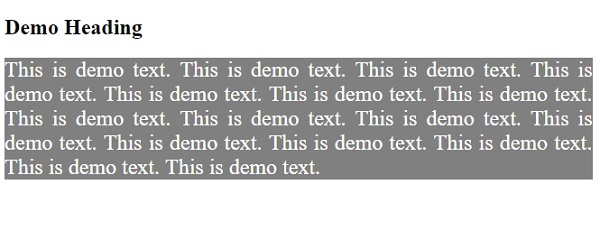
<h2>Demo Heading</h2>
<div>This is demo text. This is demo text. This is demo text. This is demo text. This is demo text. This is demo text. This is demo text. This is demo text. This is demo text. This is demo text. This is demo text. This is demo text. This is demo text. This is demo text. This is demo text. This is demo text. </div>
</body>
</html>
输出
相关文章
有用资源
css 参考教程 - 该教程包含有关 css 的更多信息:https://www.cainiaomax.com/css/

