
使用 CSS 设置像素字体大小
cssweb developmentfront end technology更新于 2025/1/7 2:20:17
我们可以指定字体大小(以像素为单位),使文本仅使用特定数量的像素。像素大小取决于屏幕分辨率和浏览器计算像素的算法。
语法
CSS 字体大小属性的语法如下 −
Selector {
   font-size: /*value*/
}
示例
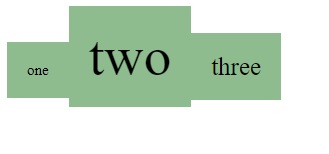
以下示例说明如何以像素为单位设置 CSS font-size 属性 −
<!DOCTYPE html>
<html>
<head>
<style>
span {
   background-color: darkseagreen;
   padding: 20px;
   font-size: 15px;
}
span:nth-child(3) {
   font-size: 55px;
}
span:last-child {
   font-size: 25px;
}
</style>
</head>
<body>
<br/>
<span>one</span><span>two</span><span>three</span>
</body>
</html>
输出
这将给出以下输出 −
示例
<!DOCTYPE html>
<html>
<head>
<style>
div {
   width: 40%;
   border: 2px solid yellow;
   padding: 20px;
   font-size: 10px;
}
div:nth-child(3) {
   font-size: 20px;
}
div:last-child {
   font-size: 30px;
}
</style>
</head>
<body>
<br/>
<div>one</div>
<div>two</div>
<div>three</div>
</body>
</html>
输出
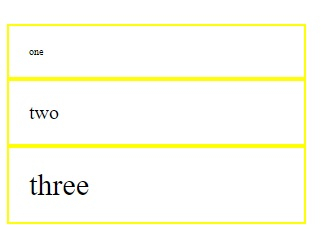
这将给出以下输出 −
相关文章
有用资源
css 参考教程 - 该教程包含有关 css 的更多信息:https://www.cainiaomax.com/css/

