
使用"Times New Roman"将 Matplotlib 标题设置为粗体
matplotlibpythondata visualization更新于 2025/6/8 16:44:17
要使用"Times New Roman"将 Matplotlib 标题设置为粗体,我们可以使用 fontweight="bold"。
步骤
- 设置图形大小并调整子图之间和周围的填充。
- 创建一个图形和一组子图。
- 使用 numpy 创建 x 和 y 数据点。
- 使用 scatter() 方法绘制 x 和 y 数据点。
- 使用 fontname="Times New Roman" 设置图的标题并且 fontweight="bold"
- 要显示图形,请使用 show() 方法。
示例
import numpy as np
from matplotlib import pyplot as plt, font_manager as fm

plt.rcParams["figure.figsize"] = [7.50, 3.50]
plt.rcParams["figure.autolayout"] = True

fig, ax = plt.subplots()
x = np.random.rand(100)
y = np.random.rand(100)
ax.scatter(x, y, c=y, marker="v")

ax.set_title('Scatter Plot With Random Points', fontname="Times New Roman", size=28,fontweight="bold")

plt.show()
输出
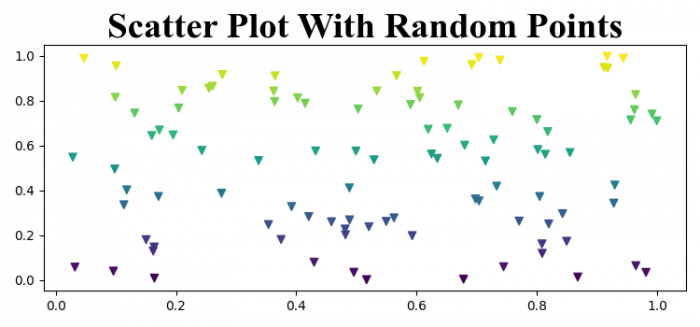
相关文章
有用资源
python 参考教程 - 该教程包含有关 python 的更多信息:https://www.cainiaomax.com/python/

