
使用 CSS 设置径向渐变的大小
cssweb developmentfront end technology更新于 2025/12/11 1:48:17
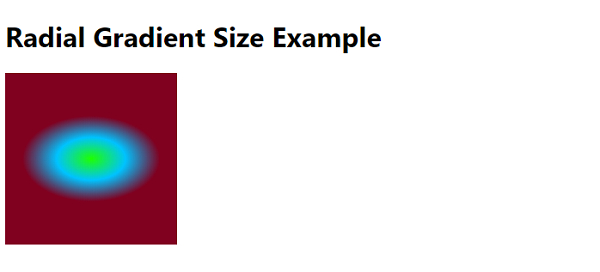
要设置径向渐变的大小,请使用 radius-gradient() 函数。此函数将径向渐变设置为背景图像。函数中的第二个参数应设置为所需的大小,如下例所示 −
background-image: radius-gradient(40% 50px at center,rgb(30, 255, 0),rgb(0, 195,
255),rgb(128, 0, 32));
可能的值为 farthest-corner(默认值)、closest-side、closest-corner 和 farthest-side。以下是使用 CSS 设置径向渐变大小的代码
示例
<!DOCTYPE html>
<html>
<head>
<style>
body {
   font-family: "Segoe UI", Tahoma, Geneva, Verdana, sans-serif;
}
#radial {
   height: 200px;
   width: 200px;
   background-image: radial-gradient(40% 50px at center,rgb(30, 255, 0),rgb(0, 195,
   255),rgb(128, 0, 32));
}
</style>
</head>
<body>
<h1>Radial Gradient Size Example</h1>
<div id="radial"></div>
</body>
</html>
输出
上述代码将产生以下输出 −
相关文章
有用资源
css 参考教程 - 该教程包含有关 css 的更多信息:https://www.cainiaomax.com/css/

