
CSS 中的 max-height 属性
cssweb developmentfront end technology更新于 2025/1/7 1:16:17
我们可以使用 CSS max-height 属性为元素的内容框定义一个固定的最大高度,这样即使高度大于 max-height,元素的内容框也不会变得更高。
语法
CSS max-height 属性的语法如下 −
Selector {
   max-height: /*value*/
}
让我们看一个 CSS max-height 属性的例子 −
示例
<!DOCTYPE html>
<html>
<head>
<title>CSS max-height Property</title>
</head>
<style>
* {
   padding: 2px;
   margin:5px;
}
button {
   border-radius: 10px;
}
#containerDiv {
width:70%;
margin: 0 auto;
   padding:20px;
   background-image: linear-gradient(135deg, #dc3545 0%, #9599E2 100%);
   text-align: center;
   border-radius: 10px;
}
#contentDiv{
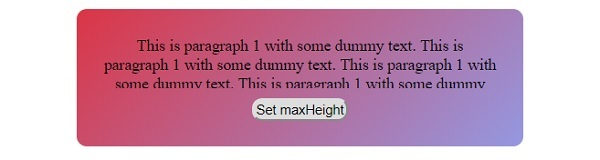
   max-height:50px;
   overflow: hidden;
}
</style>
<body>
<div id="containerDiv">
<div id="contentDiv">
This is paragraph 1 with some dummy text. This is paragraph 1 with some dummy text. This is paragraph 1 with some dummy text. This is paragraph 1 with some dummy text. This is paragraph 1 with some dummy text. This is paragraph 1 with some dummy text.
</div>
<button onclick="add()" class="btn">Set maxHeight</button>
</div>
<script>
function add() {
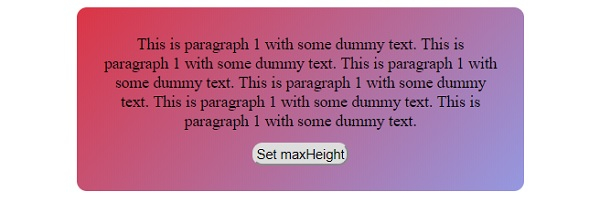
   document.querySelector('#contentDiv').style.maxHeight = "100px";
}
</script>
</body>
</html>
输出
点击"设置 maxHeight"按钮之前 −
点击"设置 maxHeight"按钮之后 −
让我们看另一个关于 CSS max-height 属性的示例 −
示例
<!DOCTYPE html>
<html>
<head>
<title>CSS max-height</title>
<style>
form {
   width:70%;
   margin: 0 auto;
   text-align: center;
}
* {
   padding: 2px;
   margin:5px;
}
#containerDiv {
   margin: 0 auto;
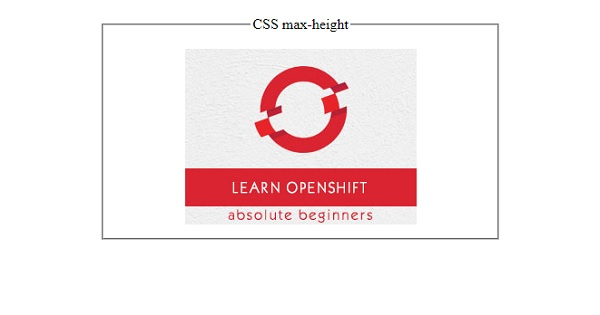
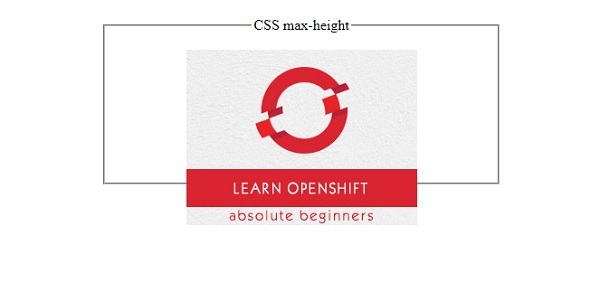
   max-height: 150px;
}
</style>
</head>
<body>
<form>
<fieldset>
<legend>CSS max-height</legend>
<div id="containerDiv">
<img id="image" src="https://www.cainiaomax.com/openshift/images/openshift-mini-logo.jpg">
</div>
</fieldset>
</form>
</body>
</html>
输出
在定义 max-height 之前 −
在定义 max-height 之后 −
相关文章
有用资源
css 参考教程 - 该教程包含有关 css 的更多信息:https://www.cainiaomax.com/css/

