
了解 CSS 定位方法
cssweb developmentfront end technology更新于 2024/11/5 5:32:17
对于定位元素,CSS 提供以下定位方法 −
CSS 中的相对定位
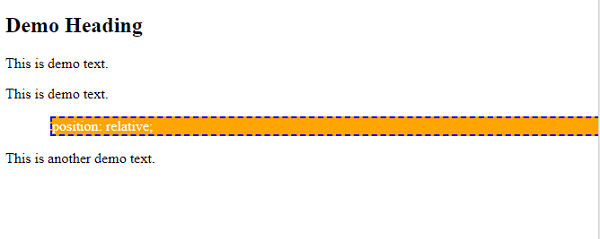
相对定位是指元素相对于其正常位置进行定位。为此,请使用position:relative。
示例
<!DOCTYPE html>
<html>
<head>
<style>
div.demo {
   position: relative;
   color: white;
   background-color: orange;
   border: 2px dashed blue;
   left: 50px;
}
</style>
</head>
<body>
<h2>Demo Heading</h2>
<p>This is demo text.</p>
<p>This is demo text.</p>
<div class="demo">
position: relative;
</div>
<p>This is another demo text.</p>
</body>
</html>
输出
CSS 中的绝对定位
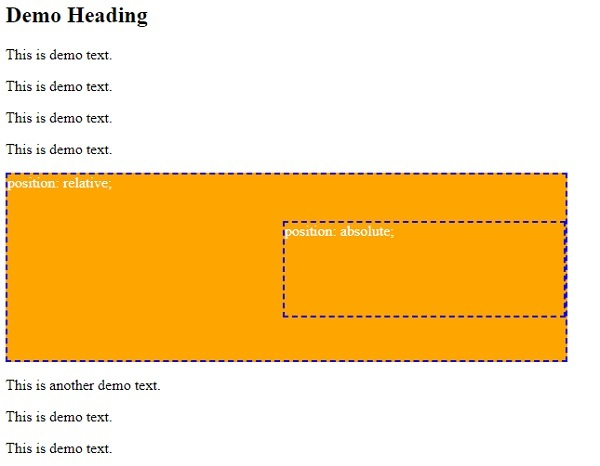
绝对定位是指元素相对于最近的已定位祖先元素进行定位。
示例
<!DOCTYPE html>
<html>
<head>
<style>
div.demo1 {
   position: relative;
   color: white;
   background-color: orange;
   border: 2px dashed blue;
   width: 600px;
   height: 200px;
}
div.demo2 {
   position: absolute;
   color: white;
   background-color: orange;
   border: 2px dashed blue;
   top: 50px;
   right: 0;
   width: 300px;
   height: 100px;
}
</style>
</head>
<body>
<h2>Demo Heading</h2>
<p>This is demo text.</p>
<p>This is demo text.</p>
<p>This is demo text.</p>
<p>This is demo text.</p>
<div class="demo1">position: relative;
<div class="demo2">
position: absolute;
</div>
</div>
<p>This is another demo text.</p>
<p>This is demo text.</p>
<p>This is demo text.</p>
</body>
</html>
输出
CSS 中的固定定位
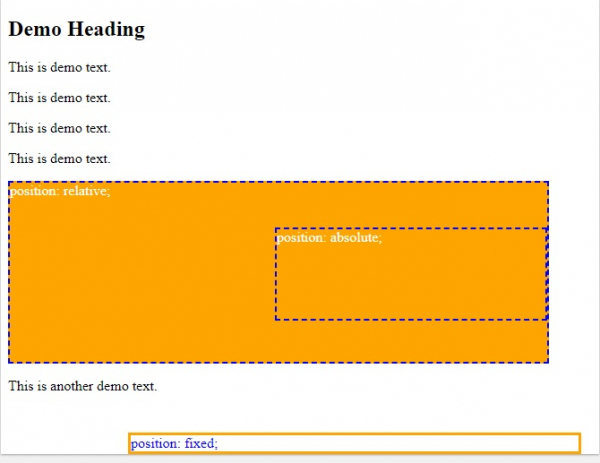
设置了position:fixed;的元素即使页面滚动也会保持在相同位置。
示例
<!DOCTYPE html>
<html>
<head>
<style>
div.demo1 {
   position: relative;
   color: white;
   background-color: orange;
   border: 2px dashed blue;
   width: 600px;
   height: 200px;
}
div.demo2 {
   position: absolute;
   color: white;
   background-color: orange;
   border: 2px dashed blue;
   top: 50px;
   right: 0;
   width: 300px;
   height: 100px;
}
div.demo3 {
   position: fixed;
   bottom: 0;
   right: 20px;
   width: 500px;
   border: 3px solid orange;
   color: blue;
}
</style>
</head>
<body>
<h2>Demo Heading</h2>
<p>This is demo text.</p>
<p>This is demo text.</p>
<p>This is demo text.</p>
<p>This is demo text.</p>
<div class="demo1">position: relative;
<div class="demo2">
position: absolute;
</div>
<div class="demo3">
position: fixed;
</div>
</div>
<p>This is another demo text.</p>
</body>
</html>
输出
相关文章
有用资源
css 参考教程 - 该教程包含有关 css 的更多信息:https://www.cainiaomax.com/css/

