
理解 CSS 边框 (Border) 和轮廓 (Outline) 的区别
cssweb developmentfront end technology更新于 2025/1/6 22:04:17
CSS 边框 (Border) 属性用于定义元素的边框属性。它是 border-width、border-style 和 border-color 的简写。您可以设置各边的边框样式,还可以指定 border-radius。
另一方面,CSS 轮廓 (Outline) 不占用空间,如果设置了,则会显示在边框周围。它支持偏移。此外,我们无法指定各边是否应该有轮廓。
默认情况下,边框和轮廓均不显示。
语法
CSS 边框 (Border) 和轮廓 (Outline) 属性的语法如下 −
Selector {
   border: /*value*/
   outline: /*value*/
}
示例
以下示例演示了 CSS 的 border 和 outline 属性 −
<!DOCTYPE html>
<html>
<head>
<style>
div {
   margin: 15px;
   padding: 20px;
   width: 35%;
   border: thin solid green;
   outline-width: 5px;
   outline-style: ridge;
   outline-color: fuchsia;
   border-radius: 50px;
}
</style>
</head>
<body>
<h2>Example</h2>
<div>This is it!</div>
</body>
</html>
输出
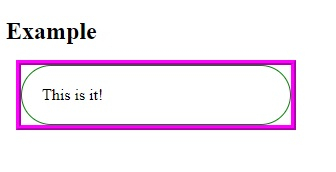
这将给出以下输出 −
示例
<!DOCTYPE html>
<html>
<head>
<style>
p {
   margin: 40px;
   padding: 12px;
   width: 30%;
   border: thick dashed green;
   outline: 5px inset;
   outline-color: fuchsia;
}
</style>
</head>
<body>
<h2>Demo Heading</h2>
<p>This is demo text surrounded by border and outline.</p>
</body>
</html>
输出
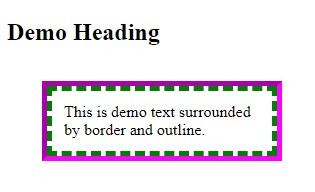
这将给出以下输出 −
相关文章
有用资源
css 参考教程 - 该教程包含有关 css 的更多信息:https://www.cainiaomax.com/css/

