
Laravel 中的命名路由是什么?
laravelphpserver side programming更新于 2025/10/7 14:07:17
在 Laravel 中,路由定义在 routes/ 文件夹中。项目内部所需的所有路由都定义在 routes/web.php 文件夹中。
示例 1
定义路由的简单示例如下 -
Route::get('/', function () {
   return view('welcome');
});
现在,当您访问页面 http://localhost:8000/ 时,您将被重定向到视图("welcome")。
命名路由是带有名称的路由。为定义的路由赋予一个名称,以便用户以后需要执行重定向时使用该名称。
示例 2
这是一个命名路由的示例
带有函数
Route::get('test/student', function() {
   //
})->name('student_test');
使用控制器
Route::get('test/student', [StudentController::class, 'test'] )->name('student_test');
输出
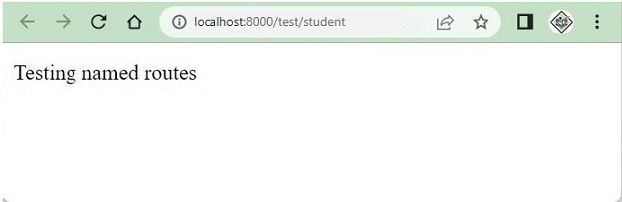
在上面的例子中,路由 test/student 被赋予了一个名为 student_test 的名称。检查输出结果如下
示例 3
列出路由后,名称列将显示命名路由的名称。
命令:PHP artisan route: list
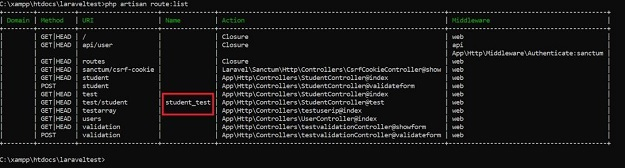
显示 test/student 的名称。
示例 4
获取命名路由的 URL。
本例将演示如何使用路由获取 URL名字。
Route::get('test/student', function() {
   $url=route('student_test');
   return $url;
})->name('student_test');
输出
当您访问 URL:http://127.0.0.1:8000/test/student 时,它将显示如下输出
http://127.0.0.1:8000/test/student
示例 5
命名路由中的参数。
在此示例中,您将了解如何访问传递给命名路由的参数。
Route::get('test/{studentid}/student', function($studentid) {
   $url=route('student_test',['studentid'=>1]);
   return $url;
})->name('student_test');
输出
点击 URL http://127.0.0.1:8000/test/1/student 时的输出如下
http://127.0.0.1:8000/test/1/student

