
使用 C# 逐行读取文本文件的最快方法有哪些?
csharpserver side programmingprogramming更新于 2025/9/30 15:22:17
逐行读取文本文件的方法有很多,包括 StreamReader.ReadLine、File.ReadLines 等。假设本地机器中有一个文本文件,其中包含如下几行。
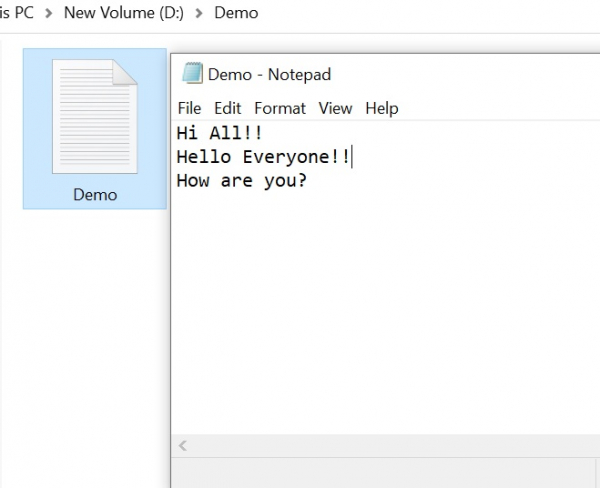
使用 StreamReader.ReadLine −
C# StreamReader 用于以指定的编码将字符读取到流中。StreamReader.Read 方法从输入流中读取下一个字符或下一组字符。 StreamReader 继承自 TextReader,它提供了读取字符、块、行或所有内容的方法。
示例
using System;
using System.IO;
using System.Text;
namespace DemoApplication{
   public class Program{
      static void Main(string[] args){
         using (var fileStream = File.OpenRead(@"D:\Demo\Demo.txt"))
         using (var streamReader = new StreamReader(fileStream, Encoding.UTF8)){
            String line;
            while ((line = streamReader.ReadLine()) != null){
               Console.WriteLine(line);
            }
         }
         Console.ReadLine();
      }
   }
}
输出
Hi All!!
Hello Everyone!!
How are you?
使用 File.ReadLines
File.ReadAllLines() 方法打开一个文本文件,将文件的所有行读入 IEnumerable<string> 中,然后关闭该文件。
示例
using System;
using System.IO;
namespace DemoApplication{
   public class Program{
      static void Main(string[] args){
         var lines = File.ReadLines(@"D:\Demo\Demo.txt");
         foreach (var line in lines){
            Console.WriteLine(line);
         }
         Console.ReadLine();
      }
   }
}
输出
Hi All!!
Hello Everyone!!
How are you?
使用 File.ReadAllLines
这与 ReadLines 非常相似。但是,它返回的是 String[] 类型,而不是 IEnumerable<String> 类型,这使得我们可以随机访问行。
示例
using System;
using System.IO;
namespace DemoApplication{
   public class Program{
      static void Main(string[] args){
         var lines = File.ReadAllLines(@"D:\Demo\Demo.txt");
         for (var i = 0; i < lines.Length; i += 1){
            var line = lines[i];
            Console.WriteLine(line);
         }
         Console.ReadLine();
      }
   }
}
输出
Hi All!!
Hello Everyone!!
How are you?

