
CSS 中元素的宽度和高度
cssweb developmentfront end technology更新于 2025/1/14 11:24:17
CSS 的 height 和 width 属性分别用于指定元素的高度和宽度。我们还可以使用 max-height、max-width、min-height 和 min-width 属性设置这些属性的最大值和最小值。
语法
CSS height 和 CSS width 属性的语法如下 −
Selector {
   height: /*value*/
   width: /*value*/
}
元素的实际宽度和高度计算如下 −
| 盒子大小 | 计算 |
|---|---|
| 总宽度 | width + padding-left + padding-right + border-left + border-right + margin-left + margin-right |
| 总高度 | height + padding-top + padding-bottom + border-top + border-bottom + margin-top + margin-bottom |
示例
以下示例说明了 CSS 高度和 CSS 宽度属性 −
<!DOCTYPE html>
<html>
<head>
<style>
#demo {
   margin: auto;
   width: 400px;
   height: 80px;
   border: 2px solid black;
   display: flex;
   border-radius: 15px;
}
#demo div {
   flex: 1;
   border: thin dotted;
   border-radius: 50%;
   line-height: 60px;
   text-align: center;
}
#orange {
   box-shadow: inset 0 0 8px orange;
}
#green {
   box-shadow: inset 0 0 8px green;
}
#blue {
   box-shadow: inset 0 0 8px blue;
}
#red {
   box-shadow: inset 0 0 8px red;
}
</style>
</head>
<body>
<div id="demo">
<div id="orange">Somebody</div>
<div id="green">that I</div>
<div id="blue">used</div>
<div id="red">to know</div>
</div>
</body>
</html>
输出
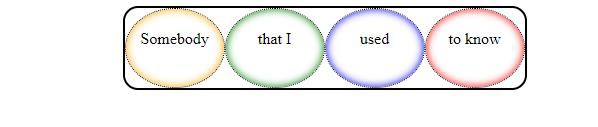
这将给出以下输出 −
示例
<!DOCTYPE html>
<html>
<head>
<style>
article {
   margin: 10% 35%;
   box-shadow: 0 0 6px 1px black;
   max-width: 200px;
   max-height: 150px;
   overflow: auto;
}
</style>
</head>
<body>
<h2>Java 8 Features</h2>
<article>
Lambda expression adds functional processing capability to Java.
Referencing functions by their names instead of invoking them directly.
Interface to have default method implementation.
New compiler tools and utilities are added like ‘jdeps’ to figure out dependencies.
New stream API to facilitate pipeline processing.
Improved date time API.
Emphasis on best practices to handle null values properly.
Nashorn, a Java-based engine to execute JavaScript code.
</article>
</body>
</html>
输出
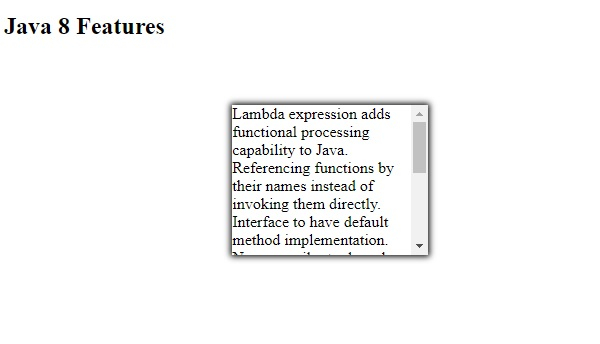
这将给出以下输出 −
相关文章
有用资源
css 参考教程 - 该教程包含有关 css 的更多信息:https://www.cainiaomax.com/css/

