
使用 Python 处理图像?
Pillow 是 Python 图像处理中最流行且被视为默认库之一。Pillow 是 Python 图像库或 PIL 的更新版本,支持一系列简单和高级图像处理功能。它也是其他 Python 库(如 sciPy 和 Matplotlib)中简单图像支持的基础。
安装 Pillow
在开始之前,我们需要 python 和 pillow。对于 Linux,pillow 可能已经存在,因为包括 Fedora、Debian/Ubuntu 和 ArchLinux 在内的主流 Linux 版本在以前包含 PIL 的软件包中包含了 Pillow。
安装它的最简单方法是使用 pip:
pip install pillow
如何加载和显示图像
首先,我们需要一张测试图像来演示使用 python Pillow 库的一些重要功能。
我使用了statue_of_unity 照片作为示例图像。下载图片并将其保存在当前工作目录中。
#使用 Pillow 加载并显示图片
from PIL import Image

#加载图片
img = Image.open('statue_of_unity.jpg')

#获取图片的基本信息
print(img.format)
print(img.mode)
print(img.size)

#显示图片
img.show()
结果
JPEG
RGB
(400, 260)
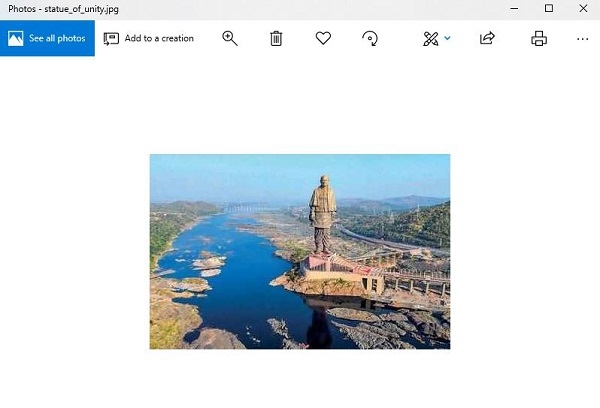
上面的图像是使用 Image 类上的 open() 函数直接加载的。这将返回一个图像对象,其中包含图像的像素数据以及有关图像的详细信息。
图像上的 format 属性将报告图像格式(例如 png、jpeg),模式将报告像素通道格式(例如 CMYK 或 RGB),大小将报告图像的像素尺寸(例如 400*260)
show() 函数将使用操作系统的默认应用程序显示图像。
将图像转换为灰度
要将图像转换为灰度,显示它然后保存它非常简单,只需执行以下操作:
#导入所需库
从 PIL 导入图像
#读取图像 &将其转换为灰度
image = Image.open('statue_of_unity.jpg').convert('L')
#显示图像
image.show()
#保存图像
image.save('statue_of_unity_gs.jpg')
结果
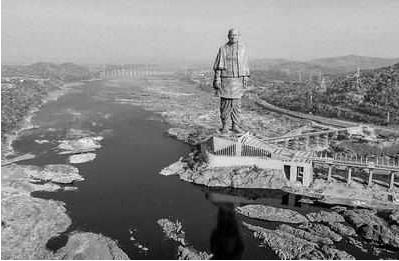
运行上述程序后,将生成一个文件"statue_of_unity_gs.jpg"在您当前的工作目录中创建。
转换为另一种图像类型
将一种类型(jpeg)的图像转换为另一种类型(例如,png)也非常容易。
from PIL import Image

image = Image.open('statue_of_unity.jpg')
image.save('statue_of_unity.png')
创建一个新的图像文件并保存在我们的默认目录中。
调整图像大小
我们当前图像文件的大小(尺寸)为 400 * 260px。如果我们想调整它的大小,并将其大小调整为 440 * 600px,可以通过以下方式完成:
从 PIL 导入图像
image = Image.open('statue_of_unity.jpg')
newImage = image.resize((440, 600))
newImage.save('statue_of_unity_440&600.jpg')
一个新文件 ‘statue_of_unit_440*600.jpg’大小为 440 *600px 的图像被创建并保存在您当前的工作目录中。
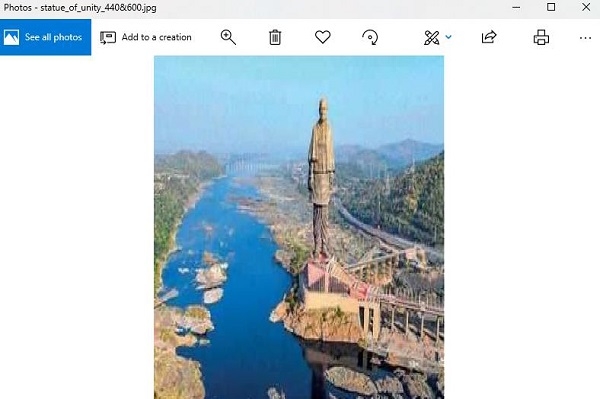
如您所见,这会将原始图像放大到所需尺寸,而不是裁剪它,这可能不是您想要的。
如果您想裁剪现有图像,您可以使用,
image.crop(box=None)
旋转图像
下面的程序加载图像,将其旋转 45 度并使用外部显示它查看器。
from PIL import Image

image = Image.open('statue_of_unity.jpg')
image.rotate(45).show()

创建缩略图
以下程序将创建当前工作目录中所有 jpeg 图像的 128*128 缩略图。
from PIL import Image
import glob, os

size = 128, 128

for infile in glob.glob("*.jpg"):
file, ext = os.path.splitext(infile)
image = Image.open(infile)
image.thumbnail(size, Image.ANTIALIAS)
image.save(file + ".thumbnail", "JPEG")
结果

将返回我当前目录 (c:\python\python361) 中的所有 jpeg 文件的缩略图,包括 ‘statue_of_unity.jpg’图像。
相关文章
有用资源
python 参考教程 - 该教程包含有关 python 的更多信息:https://www.cainiaomax.com/python/

