
AWT Ellipse2D 类
简介
Ellipse2D 类声明由框架矩形定义的椭圆。
类声明
以下是 java.awt.geom.Ellipse2D 类的声明:
public abstract class Ellipse2D
    extends RectangularShape
类构造函数
| S.N. | 构造函数 &描述 |
|---|---|
| 1 | protected Ellipse2D() 这是一个抽象类,不能直接实例化。 |
类方法
| S.N. | 方法 &描述 |
|---|---|
| 1 | boolean contains(double x, double y) 测试指定的坐标是否在 Shape 的边界内。 |
| 2 | boolean contains(double x, double y, double w, double h) 测试 Shape 的内部是否完全包含指定的矩形区域。 |
| 3 | boolean equals(Object obj) 确定指定的 Object 是否等于此 Ellipse2D。 |
| 4 | PathIterator getPathIterator(AffineTransform at) 返回定义此 Ellipse2D 边界的迭代对象。 |
| 5 | int hashCode() 返回此 Ellipse2D 的哈希码。 |
| 6 | boolean intersects(double x, double y, double w, double h) 测试 Shape 的内部是否与指定矩形区域的内部相交。 |
继承的方法
此类从以下类继承方法:
java.lang.Object
Ellipse2D 示例
使用您选择的任何编辑器在 D:/ > AWT > com > tutorialspoint > gui > 中创建以下 Java 程序
AWTGraphicsDemo.java
package com.tutorialspoint.gui;

import java.awt.*;
import java.awt.event.*;
import java.awt.geom.*;

public class AWTGraphicsDemo extends Frame {

   public AWTGraphicsDemo(){
      super("Java AWT Examples");
      prepareGUI();
   }

   public static void main(String[] args){
      AWTGraphicsDemo  awtGraphicsDemo = new AWTGraphicsDemo();
      awtGraphicsDemo.setVisible(true);
   }

   private void prepareGUI(){
      setSize(400,400);
      addWindowListener(new WindowAdapter() {
         public void windowClosing(WindowEvent windowEvent){
            System.exit(0);
         }
      });
   }

   @Override
   public void paint(Graphics g) {
      Ellipse2D shape = new Ellipse2D.Float();
      shape.setFrame(100, 150, 200,100);
      Graphics2D g2 = (Graphics2D) g;
      g2.draw (shape);
      Font font = new Font("Serif", Font.PLAIN, 24);
      g2.setFont(font);
      g.drawString("Welcome to TutorialsPoint", 50, 70);
      g2.drawString("Ellipse2D.Oval", 100, 120);
   }
}
使用命令提示符编译程序。转到 D:/ > AWT 并键入以下命令。
D:\AWT>javac com utorialspoint\gui\AWTGraphicsDemo.java
如果没有错误,则表示编译成功。使用以下命令运行程序。
D:\AWT>java com.tutorialspoint.gui.AWTGraphicsDemo
验证以下输出
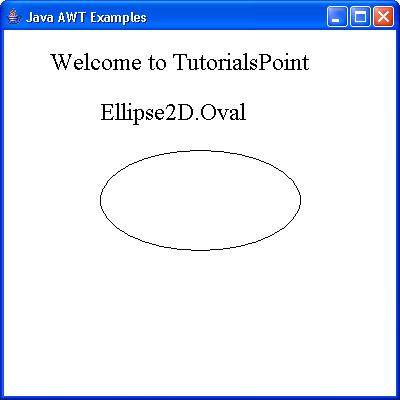
 awt_graphics.html
