
Polymer - Neon 元素
Neon-animation 用于通过网页动画为 Polymer 元素实现动画过渡。
您可以在应用程序中使用 neon-animation,方法是运行以下命令将其安装在项目目录中。
bower install --save PolymerElements/neon-animation
此命令将安装 bower_components 文件夹下 neon-animation 的所有相关元素。
示例
以下示例指定在 Polymer.js 中使用 neon-animation。创建一个 index.html 文件并在其中添加以下代码。
<!doctype html>
<html>
   <head>
      <title>Polymer Example</title>
      <script src = "bower_components/webcomponentsjs/webcomponents-lite.js"></script>
      <link rel = "import" href = "bower_components/polymer/polymer.html">
      <link rel = "import" href = "bower_components/paper-styles/demo-pages.html">
      <link rel = "import" href = "bower_components/neon-animation/web-animations.html">
   </head>

   <body>
      <h2>Neon Example</h2>
      <a href = "bower_components/neon-animation/demo/declarative/index.html">Declarative</a>
      <br>
      <a href = "bower_components/neon-animation/demo/dropdown/index.html">Dropdown</a>
      <br>
      <a href = "bower_components/neon-animation/demo/grid/index.html">Grid</a>
      <br>
      <a href = "bower_components/neon-animation/demo/tiles/index.html">Tiles</a>
      <br>
      <a href = "bower_components/neon-animation/demo/card/index.html">Card</a>
   </body>
</html>
输出
要运行应用程序,请导航到创建的项目目录并运行以下命令。
polymer serve
现在打开浏览器并导航到 http://127.0.0.1:8081/。以下是输出。
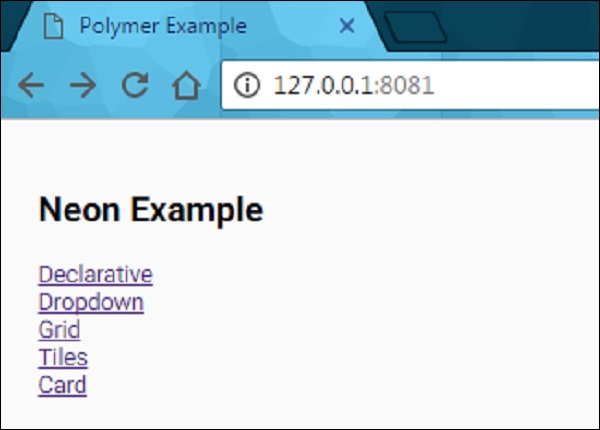
单击每个链接。您将看到使用 Web 动画创建的不同类型的动画过渡。
 polymer_elements.html
