
Swing 示例 - 使用 URL 显示 HTML 页面
以下示例展示了如何读取 URL 以在基于 Swing 的应用程序中显示其页面。
我们使用以下 API。
JEditorPane − 创建编辑器框以显示 HTML 内容。
jEditorPane.setPage(String url) − 从传递的 URL 获取 HTML 并显示。
示例
import java.awt.BorderLayout;
import java.awt.Dimension;
import java.awt.FlowLayout;
import java.awt.LayoutManager;
import java.io.IOException;
import javax.swing.JEditorPane;
import javax.swing.JFrame;
import javax.swing.JPanel;
import javax.swing.JScrollPane;

public class SwingTester {
   public static void main(String[] args) {
      createWindow();
   }

   private static void createWindow() {
      JFrame frame = new JFrame("Swing Tester");
      frame.setDefaultCloseOperation(JFrame.EXIT_ON_CLOSE);
      createUI(frame);
      frame.setSize(560, 450);
      frame.setLocationRelativeTo(null);
      frame.setVisible(true);
   }

   private static void createUI(final JFrame frame){
      JPanel panel = new JPanel();
      LayoutManager layout = new FlowLayout();
      panel.setLayout(layout);

      JEditorPane jEditorPane = new JEditorPane();
      jEditorPane.setEditable(false);
      try {
         jEditorPane.setPage("http://www.google.com");
      } catch (IOException e) {
         jEditorPane.setContentType("text/html");
         jEditorPane.setText("<html>Page not found.</html>");
      }

      JScrollPane jScrollPane = new JScrollPane(jEditorPane);
      jScrollPane.setPreferredSize(new Dimension(540,400));

      panel.add(jScrollPane);
      frame.getContentPane().add(panel, BorderLayout.CENTER);
   }
}
输出
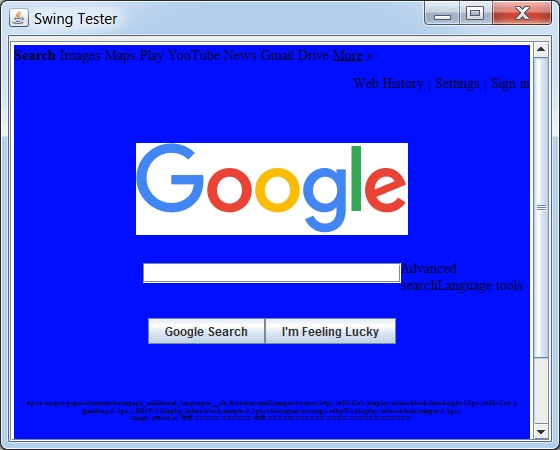
 swingexamples_editorpanes.html

