
VBScript Do..While 语句
当我们想要在条件为真时重复一组语句时,使用 Do..While 循环。 可以在循环开始或循环结束时检查条件。
语法
VBScript 中 Do..While 循环的语法是 −
Do While condition
   [statement 1]
   [statement 2]
   ...
   [statement n]
   [Exit Do]
   [statement 1]
   [statement 2]
   ...
   [statement n]
Loop
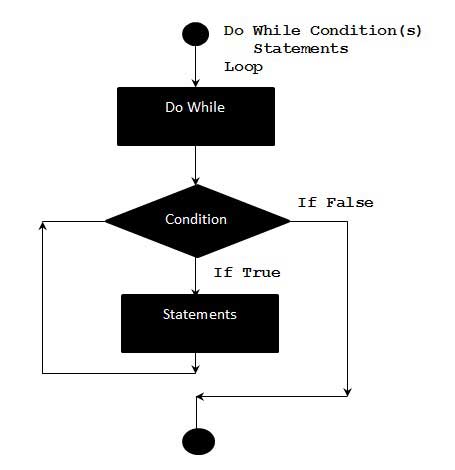
流程图
示例
下面的示例使用 Do..while 循环来检查循环开始时的条件。 仅当条件为 True 时才会执行循环内的语句。
<!DOCTYPE html>
<html>
   <body>
      <script language = "vbscript" type = "text/vbscript">
         Do While i < 5
            i = i + 1
            Document.write("The value of i is : " & i)
            Document.write("<br></br>")
         Loop
      </script>
   </body>
</html>
执行上述代码时,它会在控制台上打印以下输出。
The value of i is : 1

The value of i is : 2

The value of i is : 3

The value of i is : 4

The value of i is : 5
替代语法
Do..while 循环还有一个替代语法,用于检查循环末尾的条件。 下面通过示例解释了这两种语法之间的主要区别。
Do
   [statement 1]
   [statement 2]
   ...
   [statement n]
   [Exit Do]
   [statement 1]
   [statement 2]
   ...
   [statement n]
Loop While condition
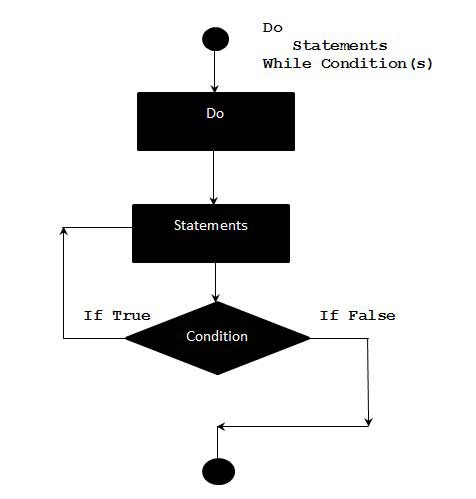
流程图
示例
下面的示例使用 Do..while 循环来检查循环末尾的条件。 即使条件为 False,循环内的语句也至少执行一次。
<!DOCTYPE html>
<html>
   <body>
      <script language = "vbscript" type = "text/vbscript">
         i = 10
         Do
            i = i + 1
            Document.write("The value of i is : " & i)
            Document.write("<br></br>")
         Loop While i<3 'Condition is false.Hence loop is executed once.

      </script>
   </body>
</html>
当执行上述代码时,它会在控制台中打印以下输出。
The value of i is : 11
 vbscript_loops.html
