WPF - 鼠标
鼠标输入有不同类型,例如MouseDown、MouseEnter、MouseLeave等。在下面的示例中,我们将处理一些鼠标输入。
让我们创建一个名为 WPFMouseInput 的新 WPF 项目。
将一个矩形和三个文本块拖到堆栈面板中,并设置以下属性和事件,如以下 XAML 文件中所示。
<Window x:Class = "WPFMouseInput.MainWindow"
   xmlns = "http://schemas.microsoft.com/winfx/2006/xaml/presentation"
   xmlns:x = "http://schemas.microsoft.com/winfx/2006/xaml"
   xmlns:d = "http://schemas.microsoft.com/expression/blend/2008"
   xmlns:mc = "http://schemas.openxmlformats.org/markup-compatibility/2006"
   xmlns:local = "clr-namespace:WPFMouseInput"
   mc:Ignorable = "d" Title = "MainWindow" Height = "350" Width = "604">

   <StackPanel>
      <Rectangle x:Name = "mrRec" Fill = "AliceBlue"
         MouseEnter = "OnMouseEnter" MouseLeave = "OnMouseLeave"
         MouseMove = "OnMouseMove" MouseDown = "OnMouseDown" Height = "100" Margin = "20">
      </Rectangle>

      <TextBlock x:Name = "txt1" Height = "31" HorizontalAlignment = "Right"
         Width = "250" Margin = "0,0,294,0" />
      <TextBlock x:Name = "txt2" Height = "31" HorizontalAlignment = "Right"
         Width = "250" Margin = "0,0,294,0" />
      <TextBlock x:Name = "txt3" Height = "31" HorizontalAlignment = "Right"
         Width = "250" Margin = "0,0,294,0" />

   </StackPanel>

</Window>
下面是处理不同鼠标事件的 C# 代码。
using System.Windows;
using System.Windows.Input;
using System.Windows.Media;
using System.Windows.Shapes;

namespace WPFMouseInput {

   public partial class MainWindow : Window {

      public MainWindow() {
         InitializeComponent();
      }

      private void OnMouseEnter(object sender, MouseEventArgs e) {
         Rectangle source = e.Source as Rectangle;

         if (source != null) {
            source.Fill = Brushes.SlateGray;
         }

         txt1.Text = "Mouse Entered";
      }

      private void OnMouseLeave(object sender, MouseEventArgs e) {

         // Cast the source of the event to a Button.
         Rectangle source = e.Source as Rectangle;

         // If source is a Button.
         if (source != null) {
            source.Fill = Brushes.AliceBlue;
         }

         txt1.Text = "Mouse Leave";
         txt2.Text = "";
         txt3.Text = "";
      }

      private void OnMouseMove(object sender, MouseEventArgs e) {
         Point pnt = e.GetPosition(mrRec);
         txt2.Text = "Mouse Move: " + pnt.ToString();
      }

      private void OnMouseDown(object sender, MouseButtonEventArgs e) {
         Rectangle source = e.Source as Rectangle;
         Point pnt = e.GetPosition(mrRec);
         txt3.Text = "Mouse Click: " + pnt.ToString();

         if (source != null) {
            source.Fill = Brushes.Beige;
         }
      }

   }
}
当你编译并执行上面的代码时,会产生以下窗口 −
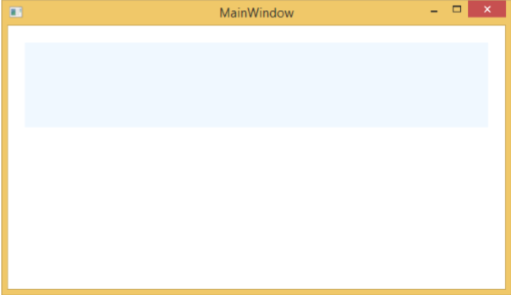
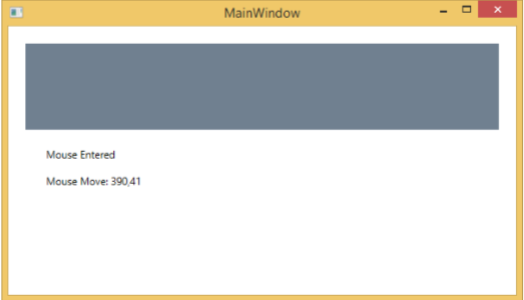
当鼠标进入矩形内部时,矩形的颜色会自动改变。 此外,您将收到一条消息,表明鼠标已输入及其坐标。
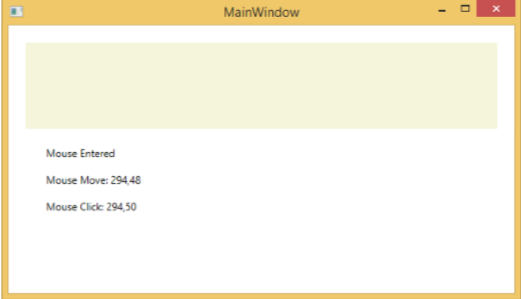
当您在矩形内部单击时,它将改变颜色并显示鼠标单击的坐标。
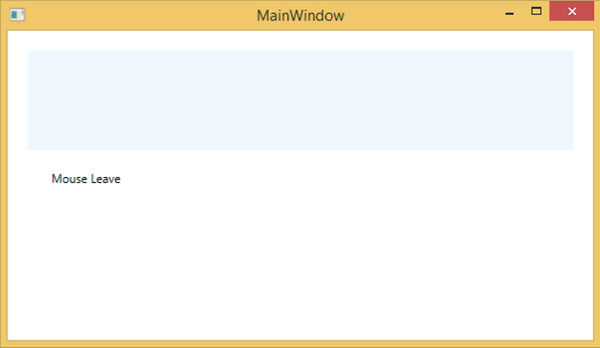
当鼠标离开矩形时,会显示鼠标已离开的消息,并且矩形将变为默认颜色。