使用 PowerShell 配置 Azure DSC 节点
什么是 Azure State DSC?
Azure State DSC 只是 Azure 虚拟机的 DSC(所需状态配置),可以从 Azure 自动化帐户进行配置。对于 DSC,有两种方法:推送和拉取配置,但 Azure 默认使用拉取服务器,它会不断轮询目标节点并将配置发送到节点。
Azure DSC 本身是一个庞大的话题,在本文中,我们将使用 PowerShell 尝试以下配置。
编写/上传节点配置文件。
编译节点配置。
将编译好的节点配置附加到节点。
先决条件
Azure 订阅
Azure 自动化帐户
配置文件(我们将在本文中创建)。
PowerShell AZ 模块。
Azure DSC 位置
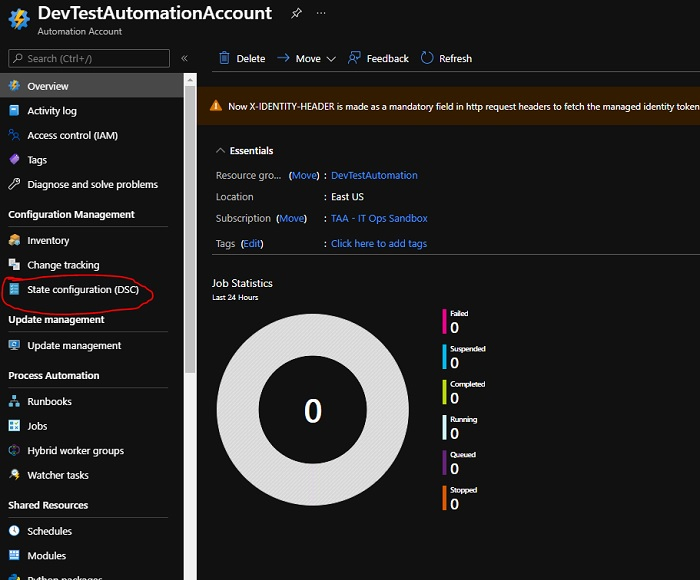
您可以找到从 Azure 自动化帐户访问 Azure DSC。在 Azure 的搜索栏中,搜索"自动化帐户",如果尚未创建,请先创建一个新的自动化帐户,因为这是 Azure DSC 的先决条件。
登录 Azure 自动化帐户后,请检查状态配置 (DSC),本文将详细介绍此内容。
要应用的节点配置
我们必须将以下配置应用于节点。
文件名 − StartWinRMService.ps1(确保此文件名与配置名称相同)。
Configuration StartWinRMService{
   Node Localhost{
      Service WinrmStart{
         Name = 'winrm'
         State = 'Running'
         StartupType = 'Automatic'
      }
   }
}
应用节点配置步骤
上传节点配置
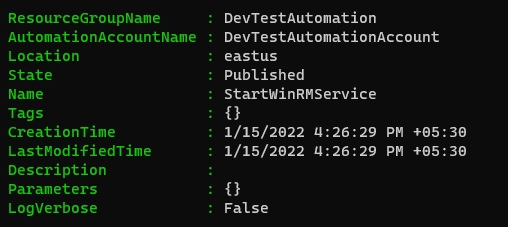
要从 Azure 自动化帐户手动上传节点配置,我们将使用以下命令。
示例
$AutomationAccount = 'DevTestAutomation'
$AutomationAccount = 'DevTestAutomationAccount'
$AutomationRG = 'DevTestAutomation'
$SourceFile = "C:\Temp\StartWinRMService.ps1"

Import-AzAutomationDscConfiguration `
   -SourcePath $SourceFile `
   -AutomationAccountName $AutomationAccount `
   -ResourceGroupName $AutomationRG `
   -Published -Force -Verbose
输出
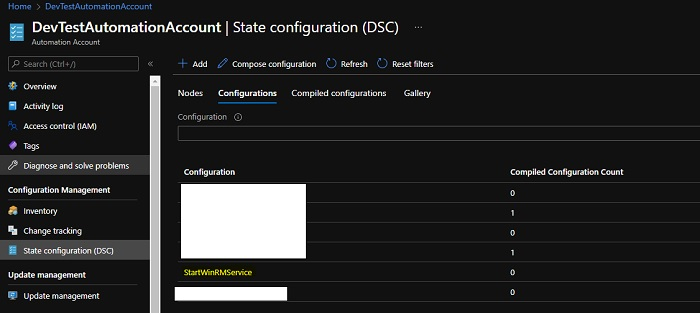
从 Azure 门户(DSC -> 配置),
编译配置
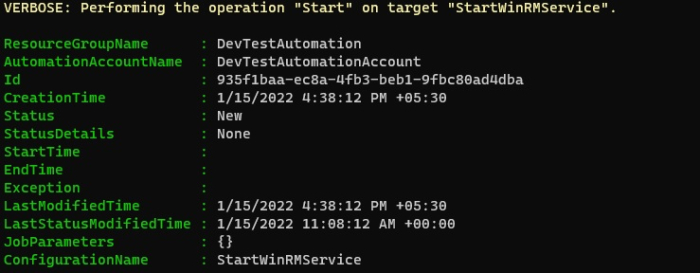
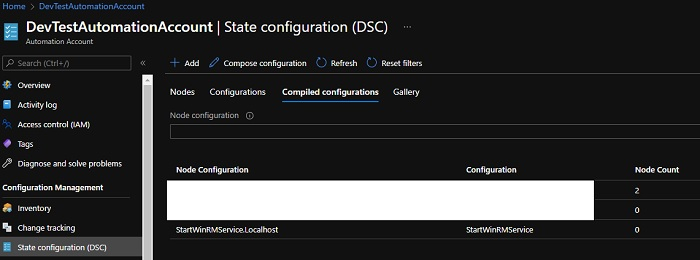
要在 Azure 节点上运行配置,我们需要编译该配置,并生成 MOF 文件"ConfigurationName.LocalHost"在本例中,它是"StartWinRMService.LocalHost"。要使用 PowerShell 编译配置,我们可以使用 Start-AzAutomationDscCompilationJob 命令。
示例
Start-AzAutomationDscCompilationJob `
   -ConfigurationName StartWinRMService `
   -AutomationAccountName $AutomationAccount `
   -ResourceGroupName $AutomationRG -Verbose
输出
从 Azure 门户(DSC -> 已编译的配置),
应用配置
节点配置上传并编译完成后,我们就可以通过注册来应用单个或多个节点了。在 Azure 门户中,您可以在单个节点上应用配置,但使用 PowerShell,您可以使用循环将配置应用于多个节点。
在 Azure 门户中(DSC -> 节点 -> 添加),
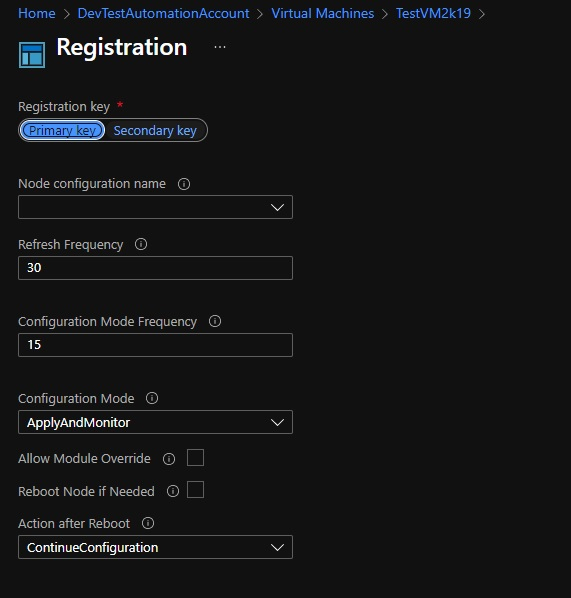
要使用 PowerShell 注册节点,
$vm = Get-AzVM -Name TestVM2k19
Register-AzAutomationDscNode `
   -AzureVMName $vm.Name `
   -AzureVMLocation $vm.Location `
   -NodeConfigurationName "StartWinRMService.LocalHost" `
   -ConfigurationMode ApplyAndAutocorrect `
   -AutomationAccountName $AutomationAccount `
   -ResourceGroupName $AutomationRG -Verbose
PS − 在上面的命令中,我们使用了 Complied 节点配置名称,并且我们在这里应用了 ApplyAndAutoCorrect。您还可以应用另外两种配置模式(ApplyOnly 和 ApplyAndMonitor),详情请见下文。
https://docs.microsoft.com/en-us/powershell/dsc/managing-nodes/metaConfig?view=dsc-1.1
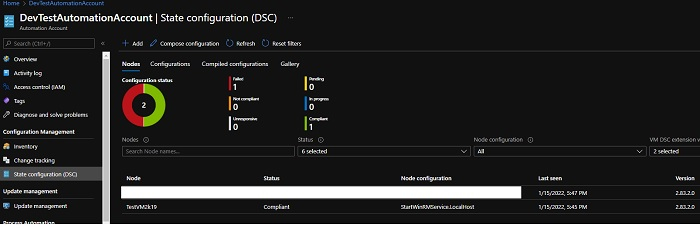
如果您的配置正确,当您从门户检查节点配置时,该节点应该显示合规。