
使用 CSS 创建媒体相关样式表
cssweb developmentfront end technology更新于 2025/1/19 2:20:17
媒体相关样式表只是基本样式表,但仅当媒体类型与文档可见的设备类型匹配时才应用于 HTML 文档。
我们可以通过以下方法创建媒体相关样式表 −
- 使用 @media 规则
- 使用 @import 规则
- 使用带有 media 属性的 HTML <link> 元素
示例
让我们看一个创建媒体相关样式表的示例 −
HTML 文档
<!DOCTYPE html>
<html>
<head>
<link rel="stylesheet" type="text/css" media="screen" href="screen.css">
<link rel="stylesheet" type="text/css" media="print" href="print.css">
</head>
<body>
<div></div>
</body>
</html>
CSS 文档 (screen.css)
div {
height: 50px;
width: 100px;
border-radius: 20%;
border: 2px solid blueviolet;
box-shadow: 22px 12px 3px 3px lightblue;
position: absolute;
left: 30%;
top: 20px;
}
CSS 文档 (print.css)
div {
   height: 50px;
   width: 100px;
   border-radius: 20%;
   border: 2px solid #dc3545;
   box-shadow: 22px 12px 3px 3px #dc3545;
   position: absolute;
   left: 30%;
   top: 20px;
}
输出
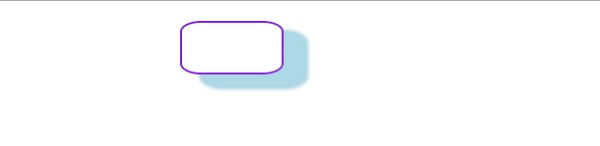
这将产生以下输出 −
当文档在屏幕媒体类型中可见时 −
当文档在打印媒体类型中可见时 −

示例
让我们看另一个创建媒体相关样式表的示例 −
<!DOCTYPE html>
<html>
<head>
<style type="text/css">
p {
   background-origin: content-box;
   background-repeat: no-repeat;
   background-size: cover;
   box-shadow: 0 0 3px black;
   padding: 20px;
   background-origin: border-box;
}
@media screen and (max-width: 900px) {
   p{
      background: url("https://www.cainiaomax.com/android/images/android.jpg");
      color: #c303c3;
   }
}
@media screen and (max-width: 500px) {
   p {
      color: black;
      background: url("https://www.cainiaomax.com/react_native/images/react-native.jpg");
   }
}
</style>
</head>
<body>
<p>This is demo text. This is demo text. This is demo text. This is demo text.
This is demo text. This is demo text. This is demo text. This is demo text.
This is demo text. This is demo text. This is demo text. This is demo text.
This is demo text. This is demo text. This is demo text. This is demo text.
This is demo text. This is demo text. This is demo text. This is demo text. </p>
</body>
</html>
输出
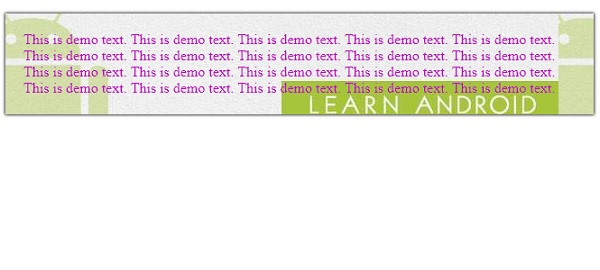
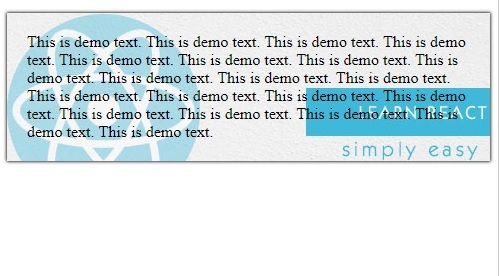
这将产生以下输出 −
当屏幕尺寸大于 500px 时 −
当屏幕尺寸小于 500px 时 −
相关文章
有用资源
css 参考教程 - 该教程包含有关 css 的更多信息:https://www.cainiaomax.com/css/

