
CSS 中图像标记的跨浏览器解决方案
cssweb developmentfront end technology更新于 2025/1/6 15:40:17
为了在所有浏览器中正确显示图像标记,需要一个跨浏览器解决方案。图像标记后的文本对齐有时会失真。为了实现统一的输出,我们将用作标记的图像指定为背景,并进行相应的对齐。
示例
以下示例演示了列表的样式 −
<!DOCTYPE html>
<html>
<head>
<style>
ul{
   list-style-type: none;
   padding: 0px;
   margin: 0px;
   font-size: 1.5em;
}
ul li{
   background-image: url("https://www.cainiaomax.com/images/spring.png");
   background-repeat: no-repeat;
   background-position: 0px 5px;
   padding-left: 24px;
}
</style>
</head>
<body>
<h2>Tutorials</h2>
<ul>
<li>Java</li>
<li>C#</li>
<li>C</li>
<li>C++</li>
<li>Spring</li>
<li>Hibernate</li>
</ul>
</body>
</html>
输出
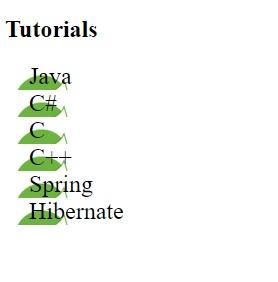
这将给出以下输出 −
示例
<!DOCTYPE html>
<html>
<head>
<style>
ul{
   box-shadow: inset 0 0 8px orange;
   list-style-type: none;
   padding: 12px;
   padding-left: 20px;
   margin: 2px;
   font-size: 1.35em;
}
ul li{
   background-image: url("https://www.cainiaomax.com/images/css.png");
   background-repeat: no-repeat;
   background-position: 0px 5px;
   padding-left: 40px;
   font-style: italic;
}
</style>
</head>
<body>
<p>Requirements:</p>
<ul>
<li>Tutorials</li>
<li>Interview QA</li>
<li>Quiz</li>
</ul>
</body>
</html>
输出
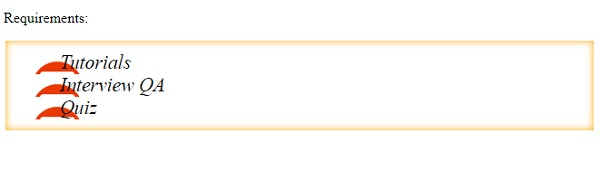
这将给出以下输出 −
相关文章
有用资源
css 参考教程 - 该教程包含有关 css 的更多信息:https://www.cainiaomax.com/css/

