
使用 CSS 实现固定定位
cssweb developmentfront end technology更新于 2025/1/19 1:16:17
我们可以在 CSS 中将元素的定位定义为固定的,即元素相对于用户视口进行渲染。定位方法为固定的元素即使在滚动时也不会移动,并且通过 CSS 定位属性(左、右、上、下)进行定位。
示例
让我们看一个 CSS 固定定位方法的示例 −
<!DOCTYPE html>
<html>
<head>
<style>
p {
   margin: 0;
   position: absolute;
   top: 50%;
   left: 50%;
   transform: translate(-50%, -50%);
}
div:first-child {
   background-color: orange;
   text-align: center;
}
div:last-child {
   width: 250px;
   height: 100px;
   margin: auto;
   background-color: turquoise;
   position: absolute;
   z-index: -1;
   top:0;
   left: 0;
   right: 0;
   bottom: 0;
}
</style>
</head>
<body>
<div>What is ASP.NET?</div>
<p>ASP.NET is a web application framework developed and marketed by Microsoft to allow programmers to build dynamic web sites............</p>
<div>
</div>
</body>
</html>
输出
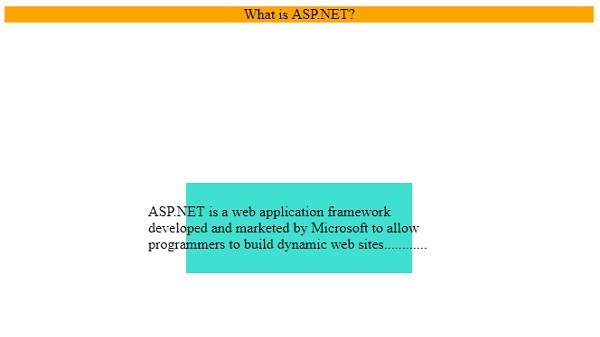
以下是上述代码的输出 −
示例
让我们看另一个定位方法的示例 −
<!DOCTYPE html>
<html>
<head>
<style>
div {
   border: 2px double #a43356;
   margin: 5px;
   padding: 5px;
}
#d1 {
   position: relative;
   height: 10em;
}
#d2 {
   position: absolute;
   width: 20%;
   bottom: 10px; /*relative to parent d1*/
}
#d3 {
   position: fixed;
   width: 30%;
   top:10em; /*relative to viewport*/
}
</style>
</head>
<body>
<div id="d1">Android is an open source and Linux-based operating system for mobile devices such as smartphones and tablet computers. Android was developed by the Open Handset Alliance, led by Google, and other companies. <mark>relative</mark>
<div id="d2"><mark>absolute</mark></div>
<div id="d3"><mark>fixed</mark></div>
</div>
</body>
</html>
输出
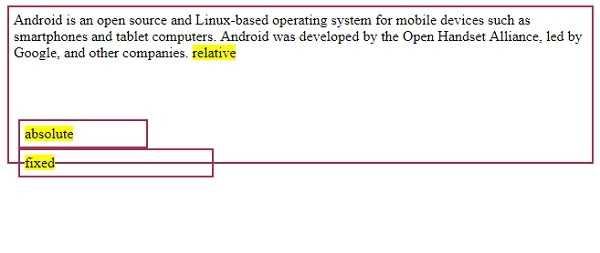
以下是上述代码的输出 −
相关文章
有用资源
css 参考教程 - 该教程包含有关 css 的更多信息:https://www.cainiaomax.com/css/

