如何在 Laravel 中访问公共文件夹中的图片?
laravelphpserver side programming更新于 2025/4/30 6:37:17
如果您在 Laravel 的公共文件夹中存储了图片,则可以使用各种方法访问或在浏览器中显示它。在本文中,我们将学习其中的一些方法。
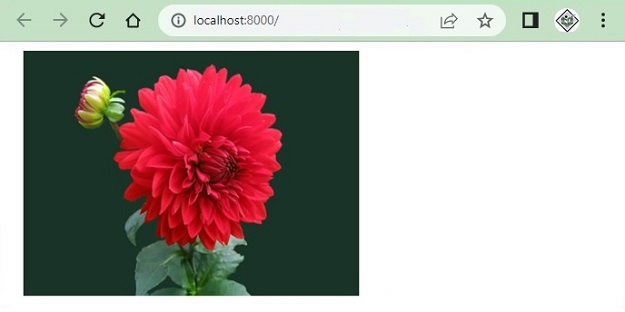
假设我们在公共文件夹中存储了一朵花的图像(flower.jpg),如下所示

现在让我们使用该图像在浏览器内查看。
使用 url() 方法
url() 辅助函数有助于返回完整路径,即它将添加 HTTP 或 HTTPS 并返回给定 URL 的完整路径。例如,考虑以下 URL
echo url()->current();
以上内容将提供您正在处理的当前 URL。 http://127.0.0.1:8000/test
让我们考虑另一个示例
echo url('/images/flower.jpg');
上述行的输出为 http://127.0.0.1:8000/images/flower.jpg。
示例
现在让我们看一个完整的 PHP 示例来显示存储在公共文件夹中的图像 -
<!DOCTYPE html>
<html>
<head>
   <style>
      body {
         font-family: 'Nunito', sans-serif;
      }
   </style>
</head>
<body class="antialiased">
   <div>
      <img src="{{url('/images/flower.jpg')}}" alt="Image" width="300" height="250"/>
   </div>
</body>
</html>
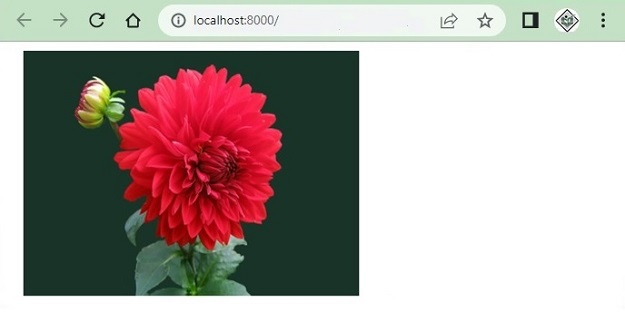
使用以下代码显示图像 -
<img src="{{url('/images/flower.jpg')}}" alt="Image" width="300" height="250"/>
上述代码的输出如下 –
使用 URL::to() 方法
URL::to() 方法提供 URL 的起始路径,例如 http://127.0.0.1:8000 或 https://127.0.0.1:8000
您还可以使用 blade 模板中的 URL::to('/') 访问图像,如下所示 −
<!DOCTYPE html>
<html>
<head>
   <style>
      body {
         font-family: 'Nunito', sans-serif;
      }
   </style>
</head>
<body class="antialiased">
   <div>
      <img src="{{ URL::to('/') }}/images/flower.jpg" alt="Image" width="300" height="250"/>
   </div>
</body>
</html>
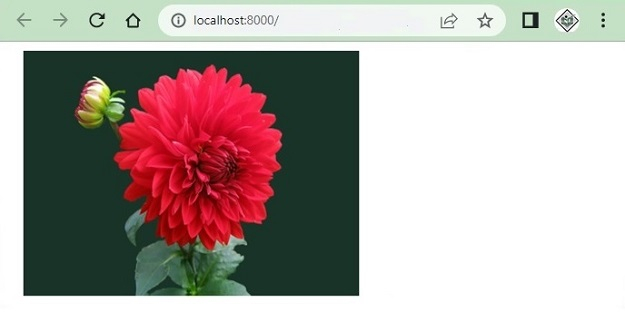
执行时,上述程序生成以下输出 -
使用 asset() 辅助函数
asset() 辅助函数还提供以 http 或 https 开头的完整 URL。例如,请考虑以下行 -
echo asset('images/flower.jpg');
这将打印图像的完整 URL 为 −
http://127.0.0.1:8000/images/flower.jpg
以下是使用 asset() 函数在浏览器中显示图像的完整示例 −
<!DOCTYPE html>
<html>
<head>
   <style>
      body {
         font-family: 'Nunito', sans-serif;
      }
   </style>
</head>
<body class="antialiased">
   <div>
      <img src="{{ asset('images/flower.jpg') }}" alt="Image" width="300" height="250"/>
   </div>
</body>
</html>
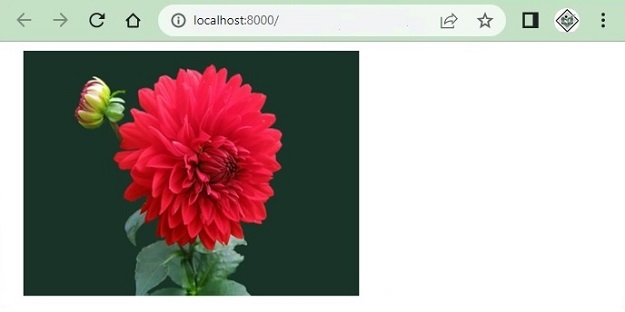
上述代码的输出为 - 上述代码的输出为 −
使用 public_path() 方法
public_path() 方法将提供 public/ 文件夹中文件的完整 URL。此方法专门用于从公共文件夹访问文件。
以下示例使用了 File 类的 public_path() 方法并获取公共文件夹中可用的所有图像,并将其显示在浏览器中。
<?php
namespace App\Http\Controllers;
use Illuminate\Http\Request;
use App\Models\User;
class UserController extends Controller {
   public function index() {
      $images = \File::allFiles(public_path('images'));
      return View('test')->with(array('images'=>$images));
   }
}
Test.blade.php
<!DOCTYPE html>
<html>
<head>
   <style>
      body {
         font-family: 'Nunito', sans-serif;
      }
   </style>
</head>
<body class="antialiased">
   <div>
      <ul>
         @foreach ($images as $image)
            <li style="width:300px;display:inline-block;margin:5px 0px">
            <img src="{{asset('images/'. $image->getFilename())}}"width="300" height="250">
            </li>
         @endforeach
      </ul>
   </div>
</body>
</html>
上述代码的输出如下 −