如何使用 PowerShell 在 XML 中添加新元素?
powershellmicrosoft technologiessoftware & coding
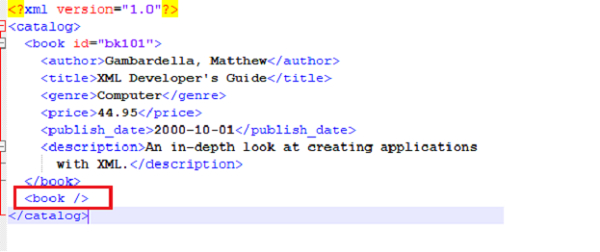
假设我们有一个如下所示的 XML 文件。
<?xml version="1.0"?>
<catalog>
   <book id="bk101">
      <author>Gambardella, Matthew</author>
      <title>XML Developer's Guide</title>
      <genre>Computer</genre>
      <price>44.95</price>
      <publish_date>2000-10-01</publish_date>
      <description>An in-depth look at creating applications with XML.</description>
   </book>
</catalog>
我们需要添加一个新节点。因此,我们将首先加载 XML 文件,然后对其进行操作,如下所示。
以下命令将 XML 文件保存到变量中。
$xmlfile = [XML](Get-Content C:\Temp\SampleXML.xml)
以下命令将创建一个新的 XML 元素
$newelement = $xmlfile.CreateElement("book")
创建元素后,我们需要将其附加到特定节点。这里我们需要在 Catalog 下方添加一个新元素。
$xmlfile.catalog.AppendChild($newelement)
最后一步是使用以下命令保存 XML 文件。
$xmlfile.save('C:\Temp\SampleXML.xml')
您可以检查新的 book 元素是否已创建。