如何使用 JavaFX 创建滚动条?
javafxobject oriented programmingprogramming更新于 2026/1/7 7:40:17
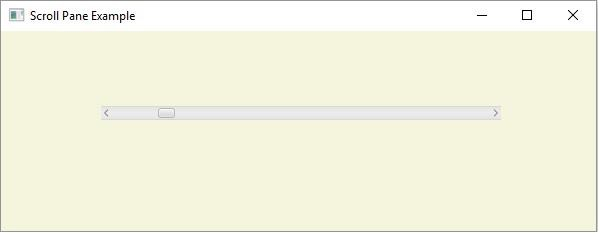
滚动条包含一个拇指按钮、一个附加到可滚动窗格的左右按钮。使用此功能,您可以上下滚动窗格(附加到它)。
在 JavaFX 中,javafx.scene.control.ScrollBar 表示滚动条。您可以创建实例化此类的滚动条。
您可以创建垂直或水平滚动条,默认情况下会创建水平滚动条,您可以使用 setOrientation() 方法将其更改为垂直滚动条。
通常,滚动条与其他控件(如 ScrollPane、ListView 等)相关联。
示例
import javafx.application.Application;
import javafx.scene.Group;
import javafx.scene.Scene;
import javafx.scene.control.Label;
import javafx.scene.control.ScrollBar;
import javafx.scene.paint.Color;
import javafx.scene.text.Font;
import javafx.scene.text.FontPosture;
import javafx.scene.text.FontWeight;
import javafx.stage.Stage;
public class ScrollBarExample extends Application {
   public void start(Stage stage) {
      //Label for education
      Label label = new Label("Educational qualification:");
      Font font = Font.font("verdana", FontWeight.BOLD, FontPosture.REGULAR, 12);
      label.setFont(font);
      //list View for educational qualification
      ScrollBar scroll = new ScrollBar();
      scroll.setMin(0);
      scroll.setMax(400);
      scroll.setValue(50);
      //Setting the position of the scroll pane
      scroll.setLayoutX(180);
      scroll.setLayoutY(75);
      //Setting the stage
      Group root = new Group(scroll);
      Scene scene = new Scene(root, 595, 200, Color.BEIGE);
      stage.setTitle("List View Example");
      stage.setScene(scene);
      stage.show();
   }
   public static void main(String args[]){
      launch(args);
   }
}
输出