如何在 iOS 中检测长按?
iosapps/applicationsmobile development更新于 2026/2/14 5:37:17
长按(也称为按住)手势可检测一根或多根手指长时间触摸屏幕。您可以配置识别长按所需的最短时长以及手指触摸屏幕的次数。(手势识别器仅由触摸的持续时间触发,而不是由触摸时产生的力度触发。)您可以使用长按手势对被按下的对象发起操作。例如,您可以使用它来显示上下文相关菜单。
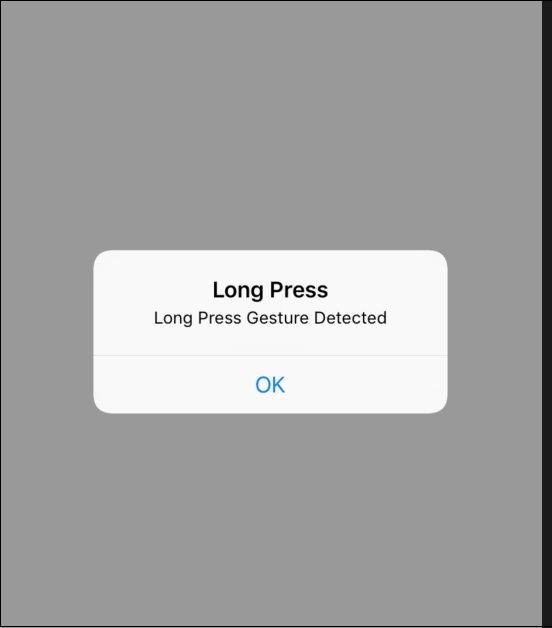
在这里,我们将设计一个简单的应用程序,我们将按下一个按钮一段时间(长按),它将显示一个警报。
让我们开始吧。
步骤 1 − 打开 Xcode → 新建项目 →单视图应用程序 → 我们将其命名为"LongPressGesture"
步骤 2 − 在 Main.storyboard 中添加一个按钮,并为其创建 @IBOutlet,命名为"btnLongOutlet"
步骤 3 − 现在打开 ViewController.swift 并创建一个 UILongPressGestureRecognizer() 对象
var longgesture = UILongPressGestureRecognizer
步骤 4 −在 viewDidLoad() 中添加以下代码:
longgesture = UILongPressGestureRecognizer(target: self, action: #selector(ViewController.longPress(_:)))
longgesture.minimumPressDuration = 2
btnLongOutlet.addGestureRecognizer(longgesture)
步骤 5 − 创建一个 longPress 函数并添加以下代码:
@objc func longPress(_ sender: UILongPressGestureRecognizer) {
   let alertController = UIAlertController(title: "Long Press", message:
      "Long Press Gesture Detected", preferredStyle: .alert)
      alertController.addAction(UIAlertAction(title: "OK", style: .default,handler: nil))
   present(alertController, animated: true, completion: nil)
}
步骤 6 − 大功告成,运行应用,确保点击按钮 2 秒钟。