
如何检查 iOS 应用的通知状态
iosapps/applicationsmobile development更新于 2026/2/15 13:52:17
无论应用是否在用户设备上运行,通知都会向用户传达重要信息。
例如,体育应用可以让用户知道他们最喜欢的球队何时得分。通知还可以指示应用下载信息并更新界面。通知可以显示提醒、播放声音或标记应用图标。
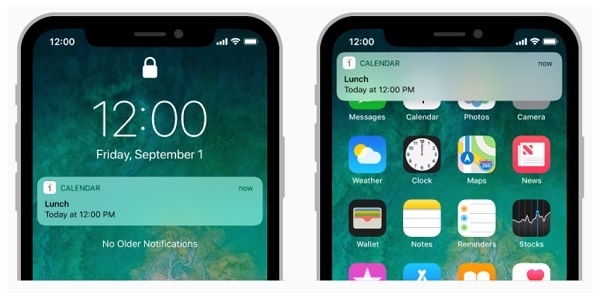
您可以在此处阅读有关通知状态的更多信息 https://developer.apple.com/documentation/usernotifications
Apple 向用户推荐使用 UserNotifications 框架,那么让我们开始吧。我们将看到一个非常简单易行的获取通知状态的解决方案。
步骤 1 − 首先,您需要导入 UserNotifications 框架
import UserNotifications
步骤 2 −创建 UNUserNotificationCenter.current() 对象
let currentNotification = UNUserNotificationCenter.current()
步骤 3 −检查状态
currentNotification.getNotificationSettings(completionHandler: { (settings) in
   if settings.authorizationStatus == .notDetermined {
      // 尚未请求通知权限,请立即申请!
   } else if settings.authorizationStatus == .denied {
      // 通知权限先前被拒绝,请前往"设置和隐私"重新启用该权限
   } else if settings.authorizationStatus == .authorized {
      // 通知权限已授予。
   }
})
最终代码
import UserNotifications
let currentNotification = UNUserNotificationCenter.current()
currentNotification.getNotificationSettings(completionHandler: { (settings) in
   if settings.authorizationStatus == .notDetermined {
      // 尚未请求通知权限,请立即申请!
   } else if settings.authorizationStatus == .denied {
      // 通知权限先前被拒绝,请前往"设置和隐私"重新启用该权限
   } else if settings.authorizationStatus == .authorized {
      // 通知权限已授予。
   }
})

