
如何使用 PowerShell 获取 Azure 虚拟机的可用大小?
powershellmicrosoft technologiessoftware & coding更新于 2026/2/12 16:52:17
要使用 PowerShell 获取 Azure 虚拟机的大小,我们可以使用 Get-AzVmSize 命令。
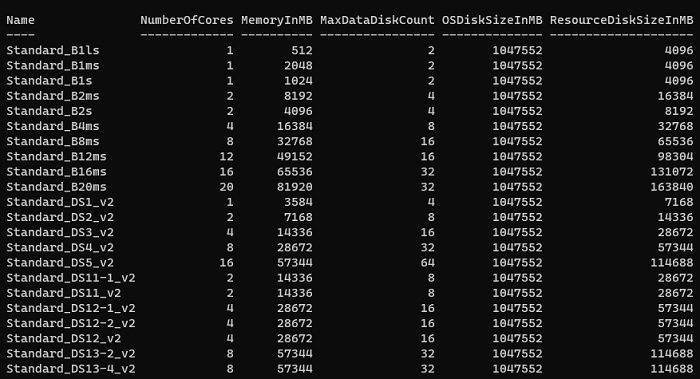
要获取每个位置支持的 Azure 虚拟机大小,请使用以下命令。
PS C:\> Get-AzVMSize -Location Eastus
输出
要获取现有虚拟机的可用大小和支持大小,请使用以下命令。
Get-AzVMSize -ResourceGroupName ResourceGroup1 -VMName TestVM

