
如何将文本放在 Python 图外?
pythonmatplotlibserver side programmingprogramming更新于 2025/3/25 11:24:17
要将文本放在图外,我们可以通过更改 text_pos_x 和 text_pos_y
的值来更改文本位置步骤
- 为 x 和 y 创建数据点。
- 初始化 x 和 y 的文本位置。
- 要绘制 x 和 y,请使用 plot() 方法和 color='red'。
- 使用 text() 方法将文本添加到图形中。
- 要显示图形,请使用 show() 方法。
示例
import numpy as np
from matplotlib import pyplot as plt
plt.rcParams["figure.figsize"] = [7.00, 3.50]
plt.rcParams["figure.autolayout"] = True
x = np.linspace(1, 5, 100)
y = np.exp(x)
text_pos_x = 0.60
text_pos_y = 0.50
plt.plot(x, y, c='red')
plt.text(text_pos_x, text_pos_y, "$\mathit{y}=e^{x}$", fontsize=14,
transform=plt.gcf().transFigure, color='green')
plt.show()
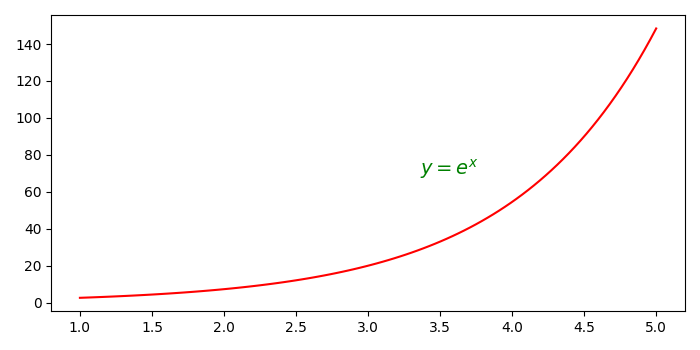
输出
相关文章
有用资源
python 参考教程 - 该教程包含有关 python 的更多信息:https://www.cainiaomax.com/python/

