
如何使用 CSS 去除可编辑元素的边框?
cssweb developmentfront end technology更新于 2025/12/8 6:36:17
要去除可编辑元素的边框,代码如下 −
示例
<!DOCTYPE html>
<html>
<head>
<style>
   body{
      font-family: 'Segoe UI', Tahoma, Geneva, Verdana, sans-serif;
   }
   p{
      font-size: 40px;
   }
   [contenteditable] {
      outline: 0px solid transparent;
   }
</style>
</head>
<body>
<h1>Remove Contenteditable Border Example</h1>
<p contenteditable="true">This is a contenteditable paragraph which you can edit</p>
</body>
</html>
输出
上述代码将产生以下输出 −
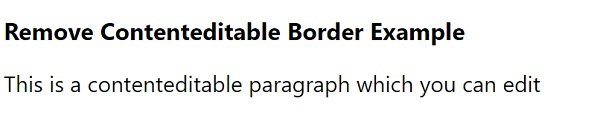
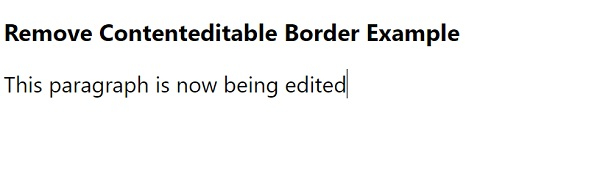
点击该段落后,您可以按照下面的屏幕截图进行编辑 −
相关文章
有用资源
css 参考教程 - 该教程包含有关 css 的更多信息:https://www.cainiaomax.com/css/

