
HTML body 标签
htmlweb developmentfront end technology更新于 2026/1/30 4:28:17
HTML 中的 <body> 标签用于设置网页主体,其中包含图片、视频、文本等所有内容。
以下是属性 −
注意:body 标签的所有属性,例如 alink、background、bgcolor、text 等,在 HTML5 中均已弃用 −
| 属性 | 值 | 描述 |
|---|---|---|
| alink | rgb(x,x,x) #xxxxxx colorname | 已弃用 − 指定文档中活动链接的颜色。 |
| background | URL | 已弃用 −指定背景图片文件路径。 |
| bgcolor | rgb(x,x,x) #xxxxxx colorname | 已弃用 − 指定背景颜色。 |
| link | rgb(x,x,x) #xxxxxx colorname | 已弃用 −指定文档中所有链接的颜色。 |
| text | rgb(x,x,x) #xxxxxx colorname | 已弃用 − 指定文档中文本的颜色。 |
| vlink | rgb(x,x,x) #xxxxxx colorname | 已弃用 −指定文档中已访问链接的颜色。 |
现在让我们看一个在 HTML 中实现 <body> 标签的示例 -
示例
<!DOCTYPE html>
<html>
<head>
<title>Document Title comes here</title>
</head>
<body>
   <h1>Heading comes here</h1>
   Content comes here
</body>
</html>
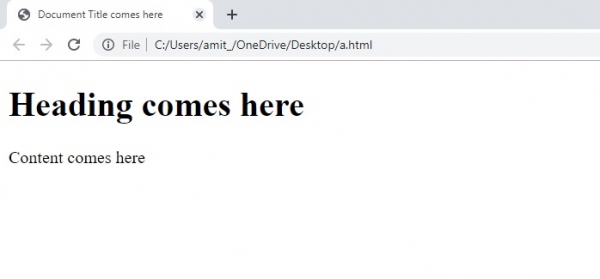
输出
相关文章
有用资源
html 参考教程 - 该教程包含有关 html 的更多信息:https://www.cainiaomax.com/html/

