
使用 CSS wordspacing 属性管理单词间距
cssweb developmentfront end technology更新于 2024/8/29 23:08:17
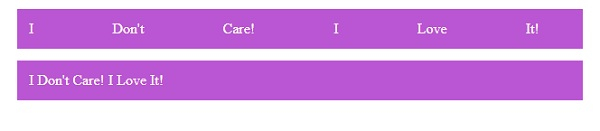
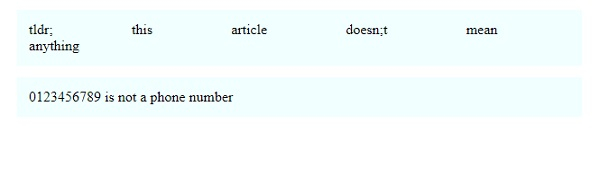
通过定义 CSS word-spacing 属性,我们可以设置单词之间的空白量。
以下示例演示了 CSS word-spacing 属性。
示例
<!DOCTYPE html>
<html>
<head>
<style>
div {
   margin: 2%;
   padding: 2%;
   background-color: mediumorchid;
   color: ivory;
   word-spacing: 2.2cm;
}
div:last-of-type {
   word-spacing: normal;
}
</style>
</head>
<body>
<div>I Don't Care! I Love It!</div>
<div>I Don't Care! I Love It!</div>
</body>
</html>
输出
这将产生以下结果 −
示例
<!DOCTYPE html>
<html>
<head>
<style>
article {
   margin: 2%;
   padding: 2%;
   background-color: azure;
   word-spacing: 2.2cm;
}
article:last-of-type {
   word-spacing: normal;
}
</style>
</head>
<body>
<article>tldr; this article doesn;t mean anything</article>
<article>0123456789 is not a phone number</article>
</body>
</html>
输出
这将产生以下结果 −
相关文章
有用资源
css 参考教程 - 该教程包含有关 css 的更多信息:https://www.cainiaomax.com/css/

