
使用纯 CSS 实现平滑滚动
cssweb developmentfront end technology更新于 2024/8/29 22:36:17
CSS scroll-behavior 属性允许我们更改滚动行为。
示例
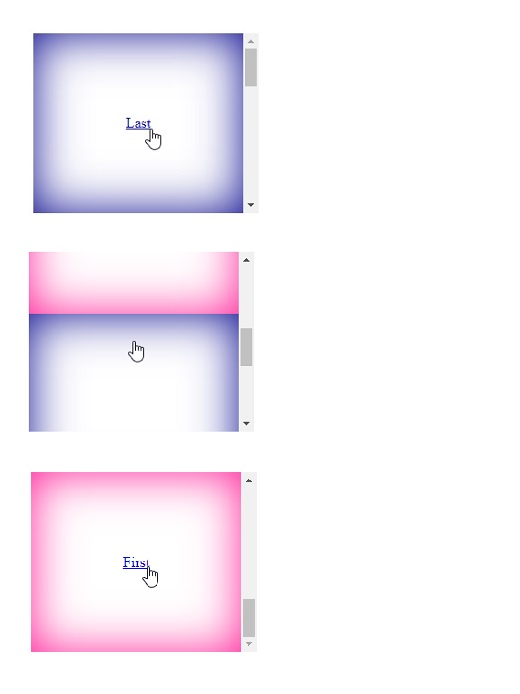
以下示例演示了 CSS scroll-behavior 属性。
<!DOCTYPE html>
<html>
<head>
<style>
html {
   line-height: 200px;
   margin: 30px;
   text-align: center;
   vertical-align: middle;
}
#parent {
   scroll-behavior: smooth;
   width: 250px;
   height: 200px;
   overflow-y: scroll
}
.pink {
   height: 200px;
   box-shadow: inset 0 0 50px deeppink;
}
.blue {
   height: 200px;
   box-shadow: inset 0 0 50px darkblue;
}
</style>
</head>
<body>
<div id="parent">
<div class="blue" id="first"><a href=#last>Last</a></div>
<div class="pink"></div>
<div class="blue"></div>
<div class="pink" id="last"><a href=#first>First</a></div>
</div>
</body>
</html>
输出
这将产生以下结果 −
示例
<!DOCTYPE html>
<html>
<head>
<style>
html {
   line-height: 150px;
   margin: 30px;
   text-align: center;
   vertical-align: middle;
}
#parent {
   scroll-behavior: auto;
   width: 150px;
   height: 150px;
   overflow: hidden;
   border: 22px groove tomato;
   border-radius: 50%;
}
.green {
   height: 150px;
   box-shadow: inset 0 0 50px darkgreen;
}
.blue {
   height: 150px;
   box-shadow: inset 0 0 50px darkblue;
}
</style>
</head>
<body>
<div id="parent">
<div class="blue" id="first"><a href=#last>Last</a></div>
<div class="green"></div>
<div class="blue"></div>
<div class="green" id="last"><a href=#first>First</a></div>
</div>
</body>
</html>
输出
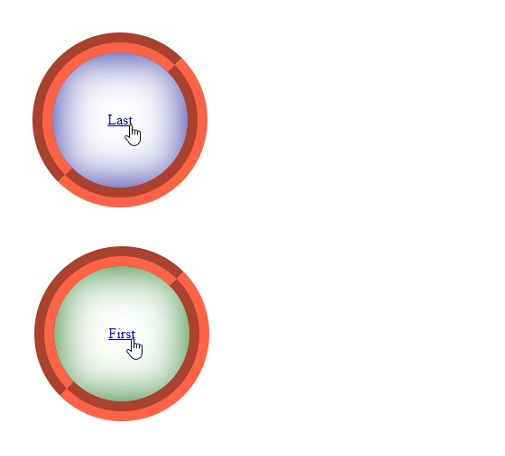
这将产生以下结果 −
相关文章
有用资源
css 参考教程 - 该教程包含有关 css 的更多信息:https://www.cainiaomax.com/css/

