
使用 CSS 设置文本对齐方式
cssweb developmentfront end technology更新于 2025/1/20 23:40:17
使用 CSS text-align 属性,我们可以水平设置元素的文本。我们可以将其设置为左对齐、右对齐、两端对齐或居中。
语法
CSS text-align 属性的语法如下 −
Selector {
   text-align: /*value*/
}
示例
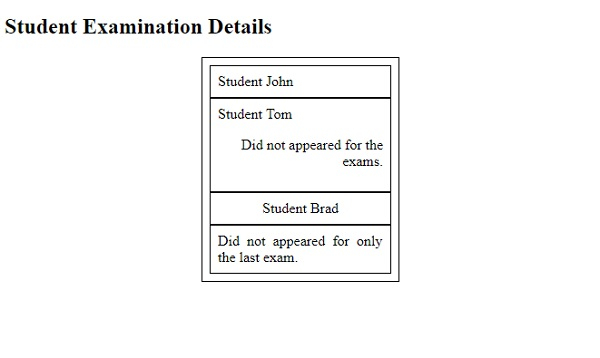
以下示例演示了 CSS text-align 属性 −
<!DOCTYPE html>
<html>
<head>
<style>
div {
   margin: auto;
   padding: 8px;
   max-width: 200px;
   border: thin solid;
}
p {
   text-align: right;
}
div:nth-child(3) {
   text-align: center;
}
div:last-child {
   text-align: justify;
}
</style>
</head>
<body>
<h2>Student Examination Details</h2>
<div>
<div>Student John</div>
<div>
Student Tom
<p>Did not appeared for the exams.</p>
</div>
<div>Student Brad</div>
<div>Did not appeared for only the last exam.</div>
</div>
</body>
</html>
输出
这将给出以下输出 −
示例
<!DOCTYPE html>
<html>
<head>
<style>
td {
   padding: 10px;
   box-shadow: inset 0 0 21px yellow;
}
td:first-of-type {
   text-align: right;
}
</style>
</head>
<body>
<h2>Demo Heading</h2>
<table>
<tr>
<td>This is it!</td>
</tr>
<tr>
<td>Well, this is a demo text!</td>
</tr>
</table>
</body>
</html>
输出
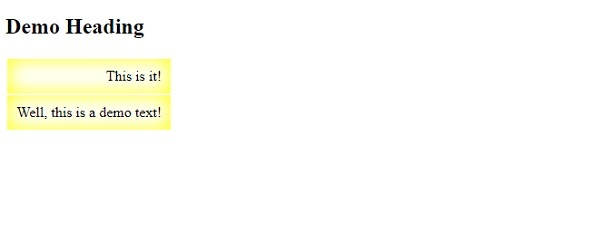
这将给出以下输出 −
相关文章
有用资源
css 参考教程 - 该教程包含有关 css 的更多信息:https://www.cainiaomax.com/css/

