
使用 CSS 设置文本颜色
cssweb developmentfront end technology更新于 2025/1/20 23:08:17
CSS 颜色属性用于设置元素的文本颜色。
语法
CSS 颜色属性的语法如下 −
Selector {
   color: /*value*/
}
示例
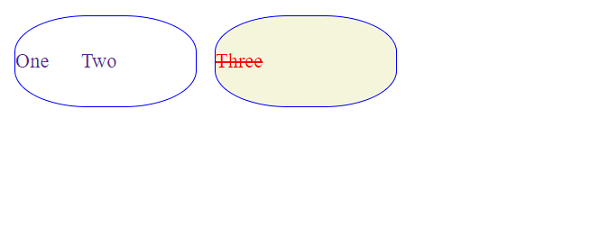
以下示例说明 CSS 颜色属性 −
<!DOCTYPE html>
<html lang="en">
<head>
<style>
div {
   height: 100px;
   width: 200px;
   margin: 10px;
   display: flex;
   float: left;
   font-size: 1.4em;
   word-spacing: 30px;
   line-height: 4.5em;
   border: thin solid blue;
   border-radius: 40%;
   text-align: center;
   color: rebeccapurple;
}
div + div{
   background-color: beige;
   color: red;
   text-align: justify;
   text-decoration: line-through;
}
</style>
</head>
<body>
<div>One Two</div>
<div>Three </div>
</body>
</html>
输出
这将给出以下输出 −
示例
<!DOCTYPE html>
<html lang="en">
<head>
<style>
p {
   margin: 10px;
   display: flex;
   float: left;
   border: 3px groove green;
   text-align: center;
   color: rebeccapurple;
}
span{
   background-color: beige;
   color: red;
   text-decoration: underline;
}
</style>
</head>
<body>
<h2>What is Tableau?</h2>
<p>Tableau is a Business Intelligence tool for visually analyzing the data.
<span>Users can create and distribute an interactive and shareable dashboard,
which depict the trends, variations, and density of the data in the form of
graphs and charts. </span>
Tableau can connect to files, relational and Big Data sources to acquire and process data.</p>
</body>
</html>
输出
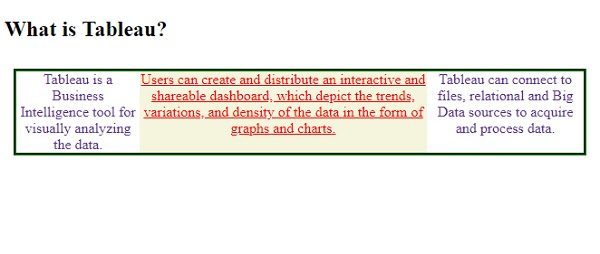
这将给出以下输出 −
相关文章
有用资源
css 参考教程 - 该教程包含有关 css 的更多信息:https://www.cainiaomax.com/css/

