
理解 CSS 选择器和声明
cssweb developmentfront end technology更新于 2025/1/7 4:28:17
CSS 选择器用于通过匹配给定模式的每个元素来选择 HTML 元素。我们通过在选择器中声明属性及其值来定义样式。
语法
声明样式的语法如下 −
选择器 {
property: value; }
CSS 有简单选择器、属性选择器、伪类、伪元素以及通过标准组合器组合的选择器。下表列出了一些选择器 −
| 选择器 | 选择器类型 | 描述 |
|---|---|---|
| * | 通用选择器 | 匹配所有元素 |
| e | 类型选择器 | 匹配所有类型为 e 的元素 |
| e1e2 | 后代选择器 | 匹配任何作为 e1 元素后代的 e2 元素。 |
| e1>e2 | 子选择器 | 匹配任何作为元素 e1 子元素的 e2 元素。 |
| e[bar="demo"] | 属性选择器 | 匹配任何"bar" 为元素 e 的 e 元素。属性值恰好等于"demo"。 |
| #id | ID 选择器 | 匹配 ID 等于"id"的元素。 |
示例
以下示例说明了 CSS 选择器 −
<!DOCTYPE html>
<html>
<head>
<style>
p::first-line {
   background-color: lightgreen;
   color: white;
   text-decoration: overline black;
}
</style>
</head>
<body>
<h2>Demo Heading</h2>
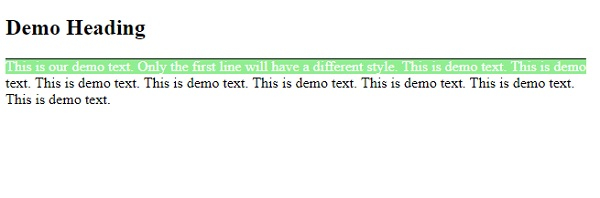
<p>This is our demo text. Only the first line will have a different style. This is demo text. This is demo text. This is demo text. This is demo text. This is demo text. This is demo text. This is demo text. This is demo text. </p>
</body>
</html>
输出
这将给出以下输出 −
示例
<!DOCTYPE html>
<html>
<head>
<style>
p::first-line {
   background-color: lightgreen;
   color: white;
   text-decoration: overline red;
}
span {
   font-size: 1.4em;
}
#demo {
   box-shadow: inset 0 0 20px orange;
}
</style>
</head>
<body>
<h2>Student Details</h2>
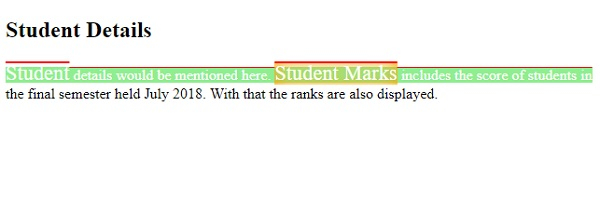
<p><span>Student</span>details would be mentioned here. <span id="demo">Student Marks</span> includes the score of students in the final semester held July 2018. With that the ranks are also displayed.</p>
</body>
</html>
输出
这将给出以下输出 −
相关文章
有用资源
css 参考教程 - 该教程包含有关 css 的更多信息:https://www.cainiaomax.com/css/

