
CSS 中的伪类是什么
cssweb developmentfront end technology更新于 2025/1/10 13:32:17
CSS 伪类表示不同元素的特殊状态,这些类不仅描述文档中的基本元素,还描述它们的外部因素,例如状态、位置、历史记录等。使用这些伪类,开发人员甚至可以为无法通过 CSS 选择器直接选择的元素添加样式。
语法
以下是在元素上使用 CSS 伪类的语法 −
Selector:pseudo-class {
   css-property: /*value*/;
}
示例
让我们看一个使用 CSS 伪类的示例 −
<!DOCTYPE html>
<html>
<head>
<title>CSS Pseudo Class</title>
<style>
form {
   width:70%;
   margin: 0 auto;
   text-align: center;
}
* {
   padding: 2px;
   margin:5px;
}
input:valid {
   color: #fefefe;
   background-color: #4CAF50;
}
input:invalid {
   color: #fefefe;
   background-color: #DC3545;
}
</style>
</head>
<body>
<form>
<fieldset>
<legend>CSS Pseudo Class</legend>
<label for="EmailSelect">Email :
<input type="email" id="EmailSelect" size="25" required>
</label><br>
<label for="PassSelect">Password :
<input type="password" id="PassSelect" minlength="8" required>
</label>
<div id="divDisplay">Min. Strength of Password: 8<br>Both Fields are Required</div>
</fieldset>
</form>
</body>
</html>
输出
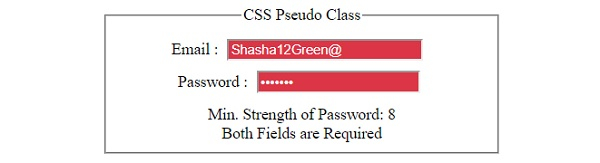
这将产生以下输出 −
当表单字段包含无效数据时 −
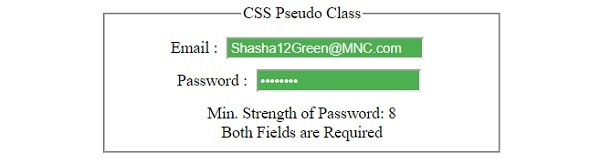
当表单字段包含有效数据时 −
示例
让我们看另一个 CSS 伪类示例 −
<!DOCTYPE html>
<html>
<head>
<title>CSS Pseudo Class</title>
<style>
form {
   width:70%;
   margin: 0 auto;
   text-align: center;
}
* {
   padding: 2px;
   margin:5px;
}
a {
   text-decoration: none;
   background:grey;
   color: white;
   border-radius: 3px;
   padding: 6px;
}
input[type="button"] {
   border-radius: 10px;
}
:target {
   border:4px solid black;
   margin: 0 auto;
   height: 200px;
   width: 200px;
   background-image: url('https://www.cainiaomax.com/arangodb/images/arangodb-mini-logo.jpg');
}
#circle {
   border-radius: 50%;
}
</style>
</head>
<body>
<form>
<fieldset>
<legend>CSS Pseudo Class</legend>
<div>
<div id="circle"></div>
<div id="square"></div>
</div>
<div>
<a href="#square">Tile</a>
<a href="#circle">Avatar</a>
</div>
</fieldset>
</form>
</body>
</html>
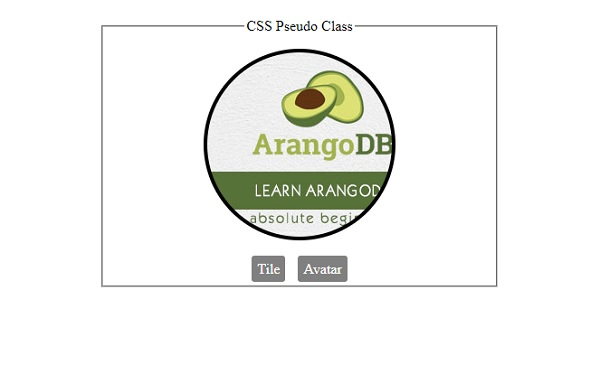
输出
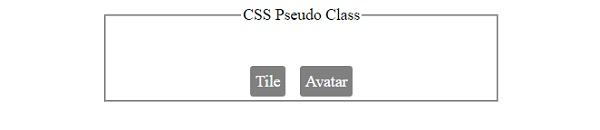
这将产生以下输出 −
点击任何按钮之前 −
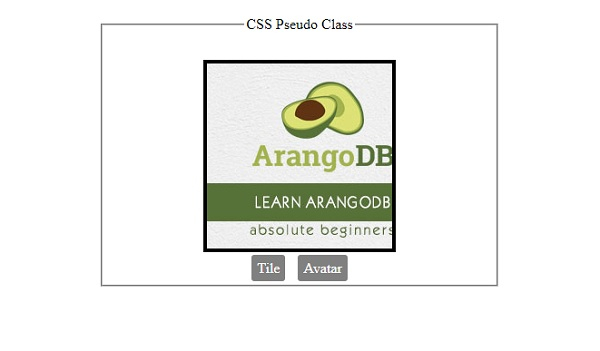
点击"Tile"按钮之后 −
点击"Avatar"按钮之后 −
相关文章
有用资源
css 参考教程 - 该教程包含有关 css 的更多信息:https://www.cainiaomax.com/css/

