BabelJS - Babel Polyfill
Babel Polyfill 为 Web 浏览器添加了对尚未提供的功能的支持。Babel 将代码从最近的 ecma 版本编译为我们想要的版本。它根据预设更改语法,但无法对所使用的对象或方法执行任何操作。为了向后兼容,我们必须使用 polyfill 来实现这些功能。
可以 polyfill 的功能
以下是在旧版浏览器中使用时需要 polyfill 支持的功能列表 −
- Promises
- Map
- Set
- Symbol
- Weakmap
- Weakset
- Array.from、Array.includes、Array.of、Array#find、Array.buffer、Array#findIndex
- Object.assign、Object.entries、Object.values
我们将创建项目设置,并查看 babel polyfill 的工作原理。
命令
npm init
我们现在将安装 babel 所需的软件包。
babel 6 的软件包
npm install babel-cli babel-core babel-preset-es2015 --save-dev
babel 7 的软件包
npm install @babel/cli @babel/core @babel/preset-env --save-dev
这是最终的 package.json −
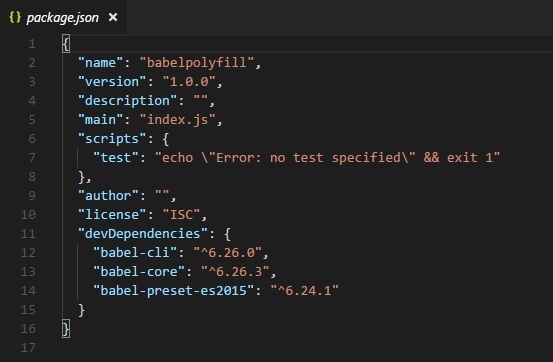
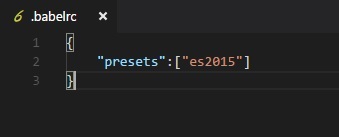
我们还将把 es2015 添加到预设中,因为我们想要编译代码es5。
.babelrc for babel 6
.babelrc for babel 7
{
   "presets":["@babel/env"]
}
我们将安装一个 lite-serve,以便我们可以在浏览器中测试我们的代码 −
npm install --save-dev lite-server
让我们添加 babel 命令来编译 package.json 中的代码 −
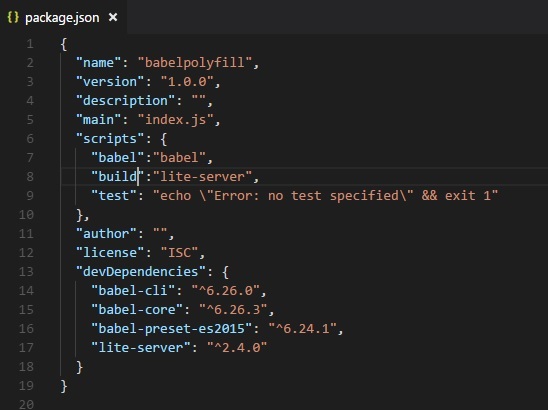
我们还添加了调用 lite-server 的 build 命令。
Babel-polyfill 与 babel-core 包一起安装。 babel-polyfill 将在节点模块中可用,如下所示 −
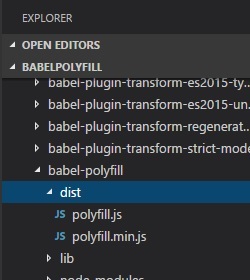
我们将进一步研究承诺并与之一起使用 babel-polyfill。
ES6 - Promises
let timingpromise = new Promise((resolve, reject) => {
   setTimeout(function() {
      resolve("Promise is resolved!");
   }, 1000);
});

timingpromise.then((msg) => {
   console.log("%c"+msg, "font-size:25px;color:red;");
});
命令
npx babel promise.js --out-file promise_es5.js
BabelJS - ES5
"use strict";

var timingpromise = new Promise(function (resolve, reject) {
   setTimeout(function () {
      resolve("Promise is resolved!");
   }, 1000);
});

timingpromise.then(function (msg) {
   console.log("%c"+msg, "font-size:25px;color:red;");
});
编译不需要改变任何东西。promise 的代码已经按原样转译。但是,即使我们将代码编译为 es5,不支持 promise 的浏览器也会抛出错误。
为了解决这个问题,我们需要在最终的 es5 编译代码中添加 polyfill。要在浏览器中运行代码,我们将从节点模块中获取 babel-polyfill 文件并将其添加到我们想要使用 promise 的 .html 文件中,如下所示 −
index.html
<html>
   <head>
   </head>
   <body>
      <h1>Babel Polyfill Testing</h1>
      <script type="text/javascript" src="node_modules/babel-polyfill/dist/polyfill.min.js"></script>
      <script type="text/javascript" src="promise_es5.js"></script>
   </body>
</html>
输出
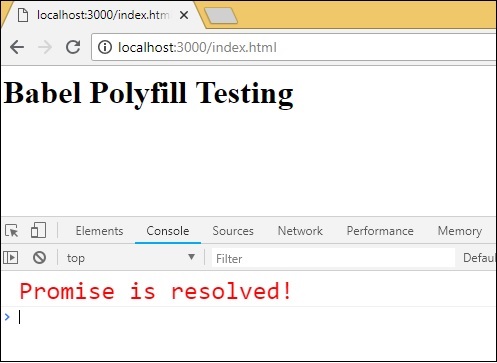
在 index.html 文件中,我们使用了 node_modules 中的 polyfill.min.js 文件,后跟 promise_es5.js −
<script type="text/javascript" src="node_modules/babel-polyfill/dist/polyfill.min.js"></script>

<script type="text/javascript" src="promise_es5.js"></script>
注意 −在主 javascript 调用之前,必须在开始时使用 Polyfill 文件。
字符串填充
字符串填充根据指定的长度从左侧添加另一个字符串。字符串填充的语法如下所示 −
语法
str.padStart(length, string);
str.padEnd(length, string);
示例
const str = 'abc';

console.log(str.padStart(8, '_'));
console.log(str.padEnd(8, '_'));
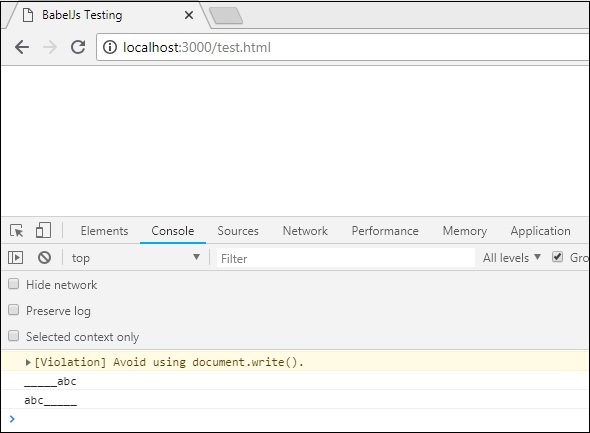
输出
_____abc
abc_____
Babel - ES5
npx babel strpad.js --out-file strpad_es5.js
命令
'use strict';

var str = 'abc';

console.log(str.padStart(8, '_'));
console.log(str.padEnd(8, '_'));
该 js 必须与 babel-polyfill 一起使用,如下所示 −
test.html
<!DOCTYPE html>
<html>
   <head>
      <title>BabelJs Testing </title>
   </head>
   <body>
      <script src="node_modules/babel-polyfill/dist/polyfill.min.js" type="text/javascript"></script>
      <script type="text/javascript" src="strpad_es5.js"></script>
   </body>
</html>
Map、Set、WeakSet、WeakMap
在本节中,我们将学习Map、Set、WeakSet、WeakMap。
Map 是一个具有键/值对的对象。
Set 也是一个对象,但具有唯一值。
WeakMap 和 WeakSet 也是具有键/值对的对象。
Map、Set、WeakMap 和 WeakSet 是 ES6 中新增的功能。要将其转换为在旧版浏览器中使用,我们需要使用 polyfill。我们将使用一个示例并使用 polyfill 编译代码。
示例
let m = new Map(); //map 示例
m.set("0","A");
m.set("1","B");
console.log(m);

let set = new Set(); //set 示例
set.add('A');
set.add('B');
set.add('A');
set.add('B');
console.log(set);

let ws = new WeakSet(); //weakset 示例
let x = {};
let y = {};
ws.add(x);
console.log(ws.has(x));
console.log(ws.has(y));

let wm = new WeakMap(); //weakmap 示例
let a = {};
wm.set(a, "hello");
console.log(wm.get(a));
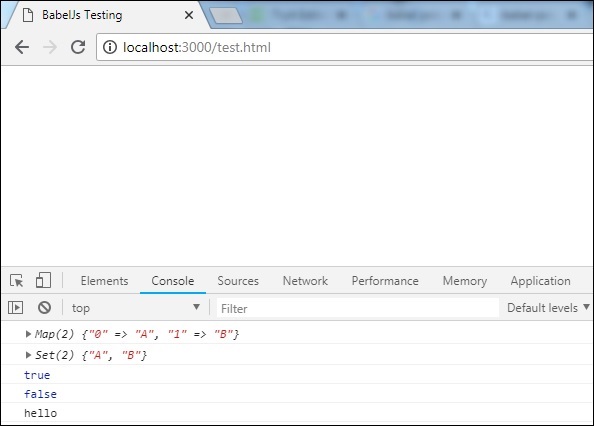
输出
Map(2) {"0" => "A", "1" => "B"}
Set(2) {"A", "B"}
true
false
hello
命令
npx babel set.js --out-file set_es5.js
Babel-ES5
"use strict";

var m = new Map(); //map 示例
m.set("0", "A");
m.set("1", "B");
console.log(m);

var set = new Set(); //set 示例
set.add('A');
set.add('B');
set.add('A');
set.add('B');
console.log(set);

var ws = new WeakSet(); //weakset 示例
var x = {};
var y = {};
ws.add(x);
console.log(ws.has(x));
console.log(ws.has(y));

var wm = new WeakMap(); //weakmap 示例
var a = {};
wm.set(a, "hello");
console.log(wm.get(a));
该 js 必须与 babel-polyfill 一起使用,如下所示 −
test.html
<!DOCTYPE html>
<html>
   <head>
      <title>BabelJs Testing</title>
   </head>
   <body>
      <script src="node_modules/babel-polyfill/dist/polyfill.min.js" type="text/javascript"></script>
      <script type="text/javascript" src="set_es5.js"></script>
   </body>
</html>
输出
数组方法
数组上可以使用许多属性和方法;例如,array.from、array.includes 等。
让我们考虑处理以下示例以更好地理解这一点。
示例
arraymethods.js
var arrNum = [1, 2, 3];

console.log(arrNum.includes(2));
console.log(Array.from([3, 4, 5], x => x + x));
输出
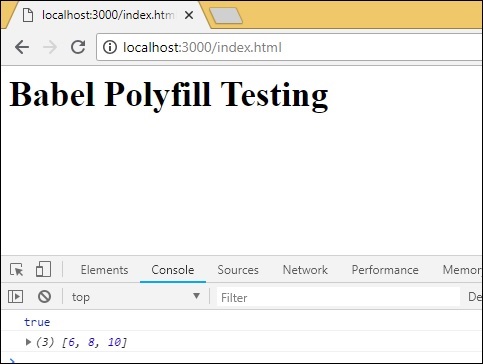
true
[6, 8, 10]
命令
npx babel arraymethods.js --out-file arraymethods_es5.js
Babel-es5
"use strict";

var arrNum = [1, 2, 3];

console.log(arrNum.includes(2));
console.log(Array.from([3, 4, 5], function (x) {
return x + x;
}));
数组上使用的方法按原样打印。为了使它们在旧版浏览器上运行,我们需要在开始时添加 polyfill 文件,如下所示 −
index.html
<html>
   <head></head>
   <body>
      <h1>Babel Polyfill Testing</h1>
      <script type="text/javascript" src="node_modules/babel-polyfill/dist/polyfill.min.js"></script>
      <script type="text/javascript" src="arraymethods_es5.js"></script>
   </body>
</html>
输出