CakePHP - 会话管理
会话允许我们管理跨请求的唯一用户,并存储特定用户的数据。会话数据可以在任何可以访问请求对象的地方访问,即可以从控制器、视图、帮助程序、单元和组件访问会话。
访问会话对象
可以通过执行以下代码来创建会话对象。
$session = $this->request->session();
写入会话数据
要在会话中写入某些内容,我们可以使用 write() session 方法。
Session::write($key, $value)
上述方法将采用两个参数,即 value 和 key,值将存储在其下。
示例
$session->write('name', 'Virat Gandhi');
读取会话数据
要从会话中检索存储的数据,我们可以使用 read() session 方法。
Session::read($key)
上述函数只接受一个参数,即在写入会话数据时使用的值的键。一旦提供了正确的键,该函数就会返回其值。
示例
$session->read('name');
当您想要检查会话中是否存在特定数据时,可以使用 check() session 方法。
Session::check($key)
上述函数将仅接受 key 作为参数。
示例
if ($session->check('name')) {
// name 存在且不为空。
}
删除会话数据
要从会话中删除数据,我们可以使用 delete() session 方法来删除数据。
Session::delete($key)
上述函数将仅接受要从会话中删除的值的 key。
示例
$session->delete('name');
当您想要从会话中读取然后删除数据时,我们可以使用 consume() session 方法。
static Session::consume($key)
上述函数将仅接受 key 作为参数。
示例
$session->consume('name');
销毁会话
当用户从网站注销时,我们需要销毁用户会话,并使用 destroy() 方法销毁会话。
Session::destroy()
示例
$session->destroy();
销毁会话将从服务器中删除所有会话数据,但不会删除会话 cookie。
更新会话
在您想要更新用户会话的情况下,我们可以使用 renew() session 方法。
Session::renew()
示例
$session->renew();
完成会话
在 config/routes.php 文件中进行更改,如以下程序所示。
config/routes.php
<?php
use Cake\Http\Middleware\CsrfProtectionMiddleware;
use Cake\Routing\Route\DashedRoute;
use Cake\Routing\RouteBuilder;
$routes->setRouteClass(DashedRoute::class);
$routes->scope('/', function (RouteBuilder $builder) {
   $builder->registerMiddleware('csrf', new CsrfProtectionMiddleware([
      'httpOnly' => true,
   ]));
   $builder->applyMiddleware('csrf');
   //$builder->connect('/pages',['controller'=>'Pages','action'=>'display', 'home']);
   $builder->connect('/session-object',['controller'=>'Sessions','action'=>'index']);
   $builder->connect('/session-read',['controller'=>'Sessions','action'=>'retrieve_session_data']);
   $builder->connect('/session-write',['controller'=>'Sessions','action'=> 'write_session_data']);
   $builder->connect('/session-check',['controller'=>'Sessions','action'=>'check_session_data']);
   $builder->connect('/session-delete',['controller'=>'Sessions','action'=>'delete_session_data']);
   $builder->connect('/session-destroy',['controller'=>'Sessions','action'=>'destroy_session_data']);
   $builder->fallbacks();
});
在 src/Controller/SessionsController.php 处创建一个 SessionsController.php 文件。将以下代码复制到控制器文件中
src/Controller/SessionsController.php
<?php
namespace App\Controller;
use App\Controller\AppController;
class SessionsController extends AppController {
    public function withdrawSessionData() {
    //创建会话对象
    $session = $this->request->getSession();
    //从会话中读取数据
    $name = $session->read('name');
    $this->set('name',$name);
    }
    public function writeSessionData(){
    //创建会话对象
    $session = $this->request->getSession();
    //在会话中写入数据
    $session->write('name','Virat Gandhi');
    }
    public function checkSessionData(){
    //创建会话对象
    $session = $this->request->getSession();
    //检查会话数据
    $name = $session->check('name');
    $address = $session->check('address');
    $this->set('name',$name);
    $this->set('address',$address);
    }
    public function deleteSessionData(){
    //创建会话对象
    $session = $this->request->getSession();
    //删除会话数据
    $session->delete('name');
    }
    public function destroySessionData(){
    //创建会话对象
    $session = $this->request->getSession();
    //销毁会话
    $session->destroy();
    }
}
?>
在 src/Template 下创建一个目录 Sessions,并在该目录下创建一个名为 write_session_data.php 的 View 文件。将以下代码复制到该文件中。
src/Template/Sessions/write_session_data.php
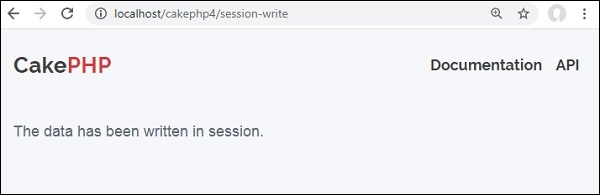
数据已写入会话中。
在同一个 Sessions 目录下创建另一个名为 retrieve_session_data.php 的 View 文件,并将以下代码复制到该文件中。
src/Template/Sessions/retrieve_session_data.php
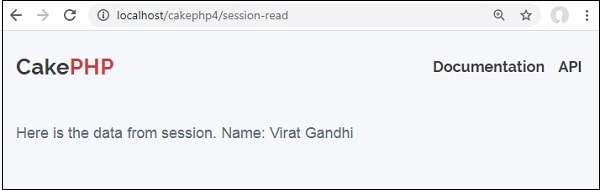
以下是来自会话的数据。
Name: <?=$name;?>
在同一个 Sessions 目录下创建另一个名为 check_session_data.ctp 的 View 文件,并将以下代码复制到该文件中。
src/Template/Sessions/check_session_data.ctp
<?php if($name): ?>
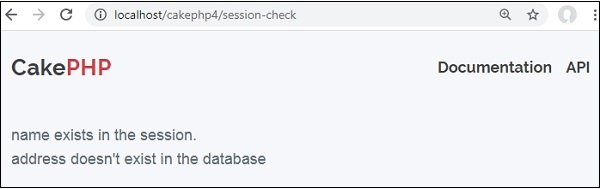
name exists in the session.
<?php else: ?>
name doesn't exist in the database
<?php endif;?>
<?php if($address): ?>
address exists in the session.
<?php else: ?>
address doesn't exist in the database
<?php endif;?>
在同一个 Sessions 目录下创建另一个名为 delete_session_data.ctp, 的 View 文件,并将以下代码复制到该文件中。
src/Template/Sessions/delete_session_data.ctp
从会话中删除数据。
在同一个 Sessions 目录下创建另一个名为 destroy_session_data.ctp, 的 View 文件,并将以下代码复制到该文件中。
src/Template/Sessions/destroy_session_data.ctp
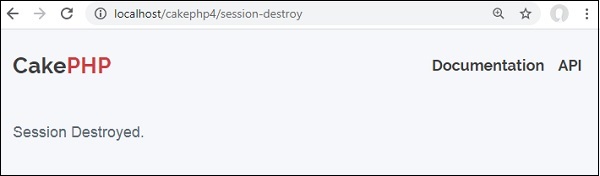
会话已销毁。
输出
通过访问以下 URL 执行上述示例。此 URL 将帮助您在会话中写入数据。
http://localhost/cakephp4/session-write
访问以下 URL 读取会话数据 − http://localhost/cakephp4/session-read
访问以下 URL 检查会话数据 − http://localhost/cakephp4/session-check
访问以下 URL 删除会话数据 − http://localhost/cakephp4/session-delete 访问
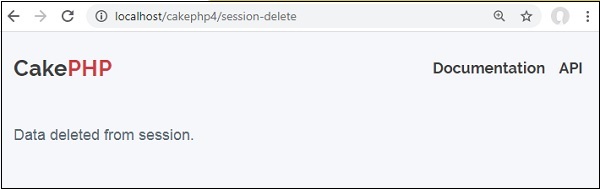
访问以下 URL 销毁会话数据 − http://localhost/cakephp4/session-destroy