CherryPy - 工具箱
在 CherryPy 中,内置工具提供了一个调用 CherryPy 库的单一界面。 CherryPy 中定义的工具可以通过以下方式实现 −
- 从配置设置
- 作为 Python 装饰器或通过页面处理程序的特殊 _cp_config 属性
- 作为可从任何函数中应用的 Python 可调用函数
基本身份验证工具
此工具的目的是为应用程序中设计的应用程序提供基本身份验证。
参数
此工具使用以下参数 −
| 名称 | 默认 | 描述 |
|---|---|---|
| realm | N/A | 定义领域值的字符串。 |
| users | N/A | 形式为 − username:password 的字典或返回此类字典的 Python 可调用函数。 |
| encrypt | None | 用于加密客户端返回的密码并将其与用户字典中提供的加密密码进行比较的 Python 可调用函数。 |
示例
让我们举一个例子来了解它是如何工作的 −
import sha
import cherrypy

class Root:
@cherrypy.expose
def index(self):

return """
<html>
   <head></head>
   <body>
      <a href = "admin">Admin </a>
   </body>
</html>
"""

class Admin:

@cherrypy.expose
def index(self):
return "This is a private area"

if __name__ == '__main__':
def get_users():
# 'test': 'test'
return {'test': 'b110ba61c4c0873d3101e10871082fbbfd3'}
def encrypt_pwd(token):

return sha.new(token).hexdigest()
   conf = {'/admin': {'tools.basic_auth.on': True,
      tools.basic_auth.realm': 'Website name',
      'tools.basic_auth.users': get_users,
      'tools.basic_auth.encrypt': encrypt_pwd}}
   root = Root()
root.admin = Admin()
cherrypy.quickstart(root, '/', config=conf)
get_users 函数返回一个硬编码的字典,但也从数据库或其他任何地方获取值。类管理员包含此功能,它使用 CherryPy 的身份验证内置工具。身份验证会加密密码和用户 ID。
基本身份验证工具并不真正安全,因为入侵者可以对密码进行编码和解码。
缓存工具
此工具的目的是提供 CherryPy 生成内容的内存缓存。
参数
此工具使用以下参数 −
| 名称 | 默认 | 描述 |
|---|---|---|
| invalid_methods | ("POST", "PUT", "DELETE") | 不缓存的 HTTP 方法字符串元组。这些方法还将使资源的任何缓存副本失效(删除)。 |
| cache_Class | MemoryCache | 用于缓存的类对象 |
解码工具
此工具的目的是解码传入的请求参数。
参数
此工具使用以下参数 −
| 名称 | 默认 | 描述 |
|---|---|---|
| encoding | None | 它查找内容类型标题 |
| Default_encoding | "UTF-8" | 未提供或未找到编码时使用的默认编码。 |
示例
让我们举一个例子来了解它的工作原理 −
import cherrypy
from cherrypy import tools

class Root:
@cherrypy.expose
def index(self):

return """
<html>
   <head></head>
   <body>
      <form action = "hello.html" method = "post">
         <input type = "text" name = "name" value = "" />
         <input type = "submit" name = "submit"/>
      </form>
   </body>
</html>
"""

@cherrypy.expose
@tools.decode(encoding='ISO-88510-1')
def hello(self, name):
return "Hello %s" % (name, )
if __name__ == '__main__':
cherrypy.quickstart(Root(), '/')
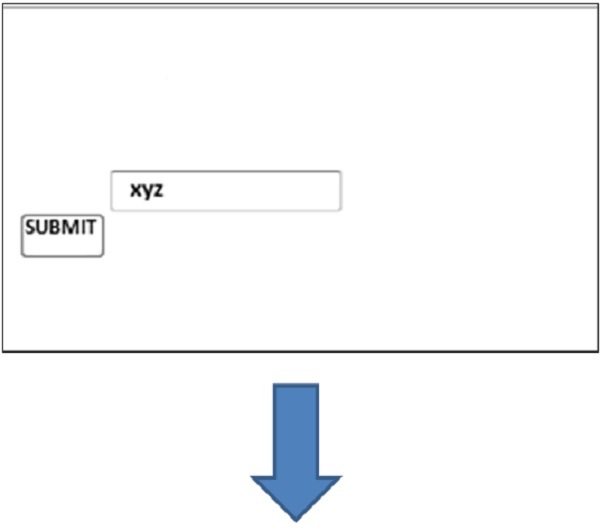
上述代码从用户那里获取一个字符串,并将用户重定向到"hello.html"页面,该页面将显示为具有给定名称的"Hello"。
上述代码的输出如下 −
hello.html