FastAPI - 静态文件
经常需要在模板响应中包含一些资源,这些资源即使有一定的动态数据也保持不变。 此类资源称为静态资源。 媒体文件(.png、.jpg 等)、用于执行某些前端代码的 JavaScript 文件或用于格式化 HTML 的样式表(.CSS 文件)都是静态文件的示例。
为了处理静态文件,您需要一个名为aiofiles 的库
pip3 install aiofiles
接下来,从 fastapi.staticfiles 模块导入 StaticFiles 类。它的对象是 FastAPI 应用程序对象的 mount() 方法的参数之一,用于在当前应用程序文件夹中分配 "static" 子文件夹,以存储和提供应用程序的所有静态资产。
app.mount(app.mount("/static", StaticFiles(directory="static"), name="static")
示例
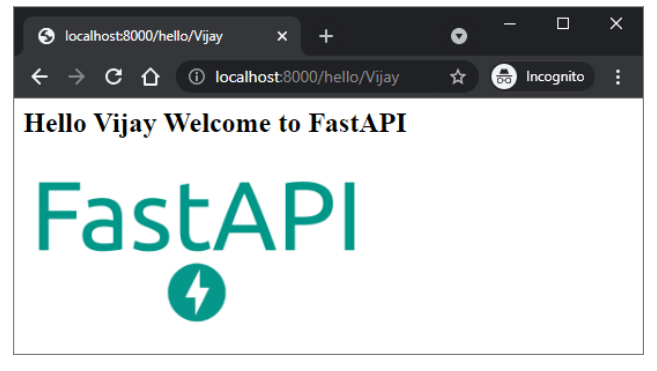
在下面的示例中,FastAPI 徽标将在 hello.html 模板中呈现。 因此,"fa-logo.png"文件首先放在静态文件夹中。 它现在可用作 HTML 代码中 <img> 标记的 src 属性。
from fastapi import FastAPI, Request
from fastapi.responses import HTMLResponse
from fastapi.templating import Jinja2Templates
from fastapi.staticfiles import StaticFiles
app = FastAPI()
templates = Jinja2Templates(directory="templates")
app.mount("/static", StaticFiles(directory="static"), name="static")
@app.get("/hello/{name}", response_class=HTMLResponse)
async def hello(request: Request, name:str):
   return templates.TemplateResponse("hello.html", {"request": request, "name":name})
\templates\hello.html的HTML代码如下 −
<html>
   <body>
      <h2>Hello {{name}} Welcome to FastAPI</h2>
      <img src="{{ url_for('static', path='fa-logo.png') }}" alt="" width="300">
   </body>
</html>
</pre>
运行 Uvicorn 服务器并访问 URL http://localhost/hello/Vijay。 徽标出现在浏览器窗口中,如图所示。
示例
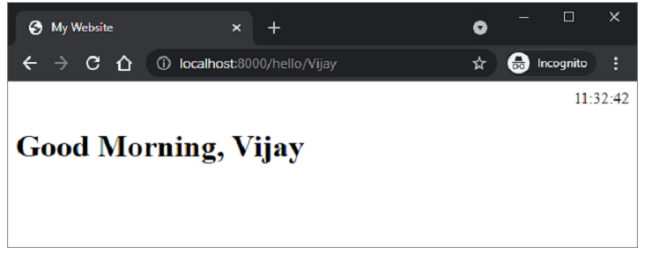
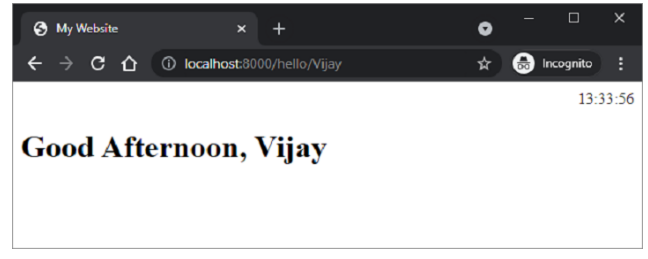
这是静态文件的另一个例子。 JavaScript 代码 hello.js 包含 myfunction() 的定义,该定义将在以下 HTML 脚本 (\templates\hello.html) 中的 onload 事件上执行。
<html>
   <head>
      <title>My Website</title>
      <script src="{{ url_for('static', path='hello.js') }}"></script>
   </head>
   <body onload="myFunction()">
      <div id="time" style="text-align:right; width="100%"></div>
      <h1><div id="ttl">{{ name }}</div></h1>
   </body>
</html>
hello.js代码如下 − (\static\hello.js)
function myFunction() {
   var today = new Date();
   var h = today.getHours();
   var m = today.getMinutes();
   var s = today.getSeconds();
   var msg="";
   if (h<12) {
      msg="早上好, ";
   }
   if (h>=12 && h<18) {
      msg="下午好, ";
   }
   if (h>=18) {
      msg="晚上好, ";
   }
   var x=document.getElementById('ttl').innerHTML;
   document.getElementById('ttl').innerHTML = msg+x;
   document.getElementById('time').innerHTML = h + ":" + m + ":" + s;
}
该函数检测当前时间的值,并根据一天中的时间将适当的值分配给 msg 变量(早上好、下午好或晚上好)。
保存/static/hello.js,修改\templates\hello.html,重启服务器。 浏览器应在其下方显示当前时间和相应消息。