
JSF - h:outputStylesheet
h:outputStylesheet 标签呈现类型为"text/css"的"link"类型的 HTML 元素。此标记用于将外部样式表文件添加到 JSF 页面。
JSF 标签
<h:outputStylesheet library = "css" name = "styles.css" />
渲染输出
<link type = "text/css" rel = "stylesheet"
   href = "/helloworld/javax.faces.resource/styles.css.jsf?ln = css" />
示例应用程序
让我们创建一个测试 JSF 应用程序来测试上述标记。
| 步骤 | 描述 |
|---|---|
| 1 | 在 com.tutorialspoint.test 包下创建一个名为 helloworld 的项目,如 JSF - 第一个应用程序 一章中所述。 |
| 2 | 在 src → 下创建 resources 文件夹main 文件夹。 |
| 3 | 在 src → main → resources 文件夹下创建 css 文件夹。 |
| 4 | 在 src → main → resources → 下创建 styles.css 文件css 文件夹。 |
| 5 | 按照以下说明修改 styles.css 文件。 |
| 6 | 按照以下说明修改 pom.xml。 |
| 7 | 按照以下说明修改 home.xhtml。保持其余文件不变。 |
| 8 | 编译并运行应用程序以确保业务逻辑按要求运行。 |
| 9 | 最后,以 war 文件的形式构建应用程序并将其部署在 Apache Tomcat Web 服务器中。 |
| 10 | 按照最后一步中的说明,使用适当的 URL 启动您的 Web 应用程序。 |
styles.css
.message{
   color:green;
}
pom.xml
<project xmlns = "http://maven.apache.org/POM/4.0.0"
   xmlns:xsi = "http://www.w3.org/2001/XMLSchema-instance"
   xsi:schemaLocation = "http://maven.apache.org/POM/4.0.0
   http://maven.apache.org/maven-v4_0_0.xsd">

   <modelVersion>4.0.0</modelVersion>
   <groupId>com.tutorialspoint.test</groupId>
   <artifactId>helloworld</artifactId>
   <packaging>war</packaging>
   <version>1.0-SNAPSHOT</version>
   <name>helloworld Maven Webapp</name>
   <url>http://maven.apache.org</url>

   <dependencies>
      <dependency>
         <groupId>junit</groupId>
         <artifactId>junit</artifactId>
         <version>3.8.1</version>
         <scope>test</scope>
      </dependency>

      <dependency>
         <groupId>com.sun.faces</groupId>
         <artifactId>jsf-api</artifactId>
         <version>2.1.7</version>
      </dependency>

      <dependency>
         <groupId>com.sun.faces</groupId>
         <artifactId>jsf-impl</artifactId>
         <version>2.1.7</version>
      </dependency>

      <dependency>
         <groupId>javax.servlet</groupId>
         <artifactId>jstl</artifactId>
         <version>1.2</version>
      </dependency>
   </dependencies>

   <build>
      <finalName>helloworld</finalName>
      <plugins>

         <plugin>
            <groupId>org.apache.maven.plugins</groupId>
            <artifactId>maven-compiler-plugin</artifactId>
            <version>2.3.1</version>
            <configuration>
               <source>1.6</source>
               <target>1.6</target>
            </configuration>
         </plugin>

         <plugin>
            <artifactId>maven-resources-plugin</artifactId>
            <version>2.6</version>
            <executions>
               <execution>
                  <id>copy-resources</id>
                  <phase>validate</phase>
                  <goals>
                     <goal>copy-resources</goal>
                  </goals>

                  <configuration>
                     <outputDirectory>${basedir}/target/helloworld/resources
                        </outputDirectory>
                     <resources>
                        <resource>
                           <directory>src/main/resources</directory>
                           <filtering>true</filtering>
                        </resource>
                     </resources>
                  </configuration>
               </execution>
            </executions>
         </plugin>

      </plugins>
   </build>
</project>
home.xhtml
<?xml version = "1.0" encoding = "UTF-8"?>
<!DOCTYPE html PUBLIC "-//W3C//DTD XHTML 1.0 Transitional//EN"
"http://www.w3.org/TR/xhtml1/DTD/xhtml1-transitional.dtd">

<html xmlns = "http://www.w3.org/1999/xhtml"
   xmlns:f = "http://java.sun.com/jsf/core"
   xmlns:h = "http://java.sun.com/jsf/html">

   <h:head>
      <title>JSF Tutorial!</title>
      <h:outputStylesheet library = "css" name = "styles.css"  />
   </h:head>

   <h:body>
      <h2>h:outputStylesheet example</h2>
      <hr />
      <h:form>
         <div class = "message">Hello World!</div>
      </h:form>
   </h:body>

</html>
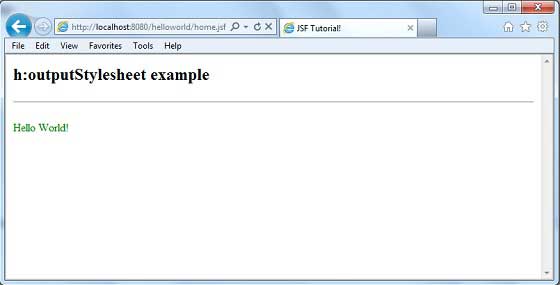
完成所有更改后,让我们像在 JSF - 第一个应用程序章节中一样编译并运行应用程序。如果您的应用程序一切正常,这将产生以下结果。
 jsf_basic_tags.html
