
LESS - Mixin 和返回值
描述
Mixins 类似于函数,在 mixin 中定义的变量将充当其返回值。
示例
以下示例演示了在 LESS 文件中使用 mixin 和返回值 −
<html>
   <head>
      <link rel = "stylesheet" href = "style.css" type = "text/css" />
      <title>Mixins & return values</title>
   </head>

   <body>
      <div class = "myclass">
         <h2>Welcome to Tutorialspoint</h2>
         <p>LESS is a CSS pre-processor that enables customizable,
         manageable and reusable style sheet for web site.</p>
      </div>
   </body>
</html>
接下来,创建 style.less 文件。
style.less
.padding(@x, @y) {
   @padding: ((@x + @y) / 2);
}

.myclass{
   .padding(80px, 120px);  // 调用 mixin
   padding-left: @padding; //  返回值
}
您可以使用以下命令将 style.less 编译为 style.css −
lessc style.less style.css
执行上述命令;它将使用以下代码自动创建 style.css 文件 −
style.css
.myclass {
   padding-left: 100px;
}
输出
按照以下步骤查看上述代码的工作原理 −
将上述 html 代码保存在 less_Mixin_as_function_return_values.html 文件中。
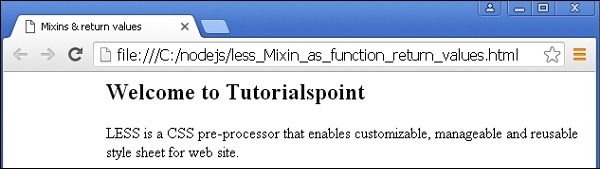
在浏览器中打开此 HTML 文件,将显示以下输出。
 less_mixins_as_functions.html
