
LESS - 合并逗号
说明
它将属性值添加到最后。
示例
以下示例演示了如何在 LESS 文件中使用合并逗号功能 −
<!doctype html>
   <head>
      <title>Merge Comma</title>
      <link rel = "stylesheet" href = "style.css" type = "text/css" />
   </head>

   <body>
      <h2>Example of Merge Comma</h2>
      <p class = "class">Hello World!!!Welcome to Tutorialspoint...</p>
   </body>
</html>
接下来,创建 style.less 文件。
style.less
.myfunc() {
   box-shadow+: 5px 5px 5px grey;
}

.class {
   .myfunc();
   box-shadow+: 0 0 5px #f78181;
}
您可以使用以下命令将 style.less 编译为 style.css −
lessc style.less style.css
执行上述命令;它将使用以下代码自动创建 style.css 文件 −
style.css
.class {
   box-shadow: 5px 5px 5px grey, 0 0 5px #f78181;
}
输出
按照以下步骤查看上述代码的工作原理 −
将上述 html 代码保存在 merge_comma.html 文件中。
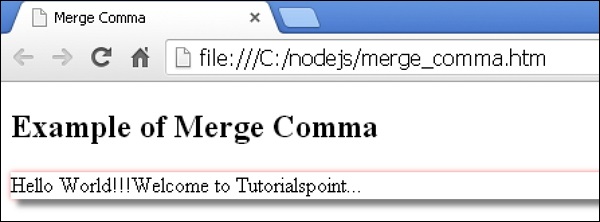
在浏览器中打开此 HTML 文件,将显示以下输出。
 less_merge.html
