
LESS - 多个 &
说明
通过使用 & 运算符,可以重复引用父选择器而不使用其名称。在选择器中,& 可以多次使用。
示例
以下示例演示了如何在 LESS 文件中使用多个 & −
<html>
   <head>
      <title>Parent Selector</title>
      <link rel = "stylesheet" href = "style.css" type = "text/css" />
   </head>

   <body>
      <h2>Welcome to TutorialsPoint</h2>
      <p class = "select">It is possible to reference the
      parent selector by using &(ampersand) operator.</p>
      <p class = "select_class1">It is possible to reference the
      parent selector by using &(ampersand) operator</p>
   </body>
</html>
接下来,创建 style.less 文件。
style.less
.select {
   & + & {
      color: #A9F5F2;
   }

   & & {
      color: #D0FA58;
   }

   && {
      color: #81BEF7;
   }

   &, &_class1 {
      color: #A4A4A4;
   }
}
您可以使用以下命令将 style.less 文件编译为 style.css −
lessc style.less style.css
执行上述命令;它将使用以下代码自动创建 style.css 文件 −
style.css
.select + .select {
   color: #A9F5F2;
}

.select .select {
   color: #D0FA58;
}

.select.select {
   color: #81BEF7;
}

.select,
.select_class1 {
   color: #A4A4A4;
}
输出
按照以下步骤查看上述代码的工作原理 −
将上述 html 代码保存在 parent_selector.htm 文件中。
在浏览器中打开此 HTML 文件,将显示以下输出。
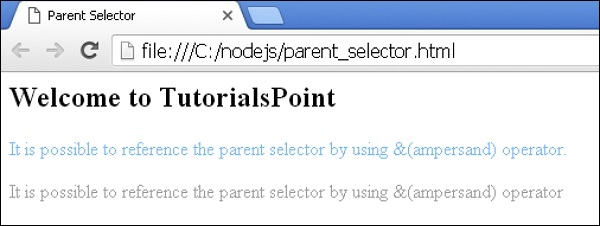
& 不仅代表最近的选择器,还代表所有父选择器。有关更多信息,请单击此处。
 less_parent_selectors.html
