
LESS - 类型检查函数
描述
您可以使用类型检查内置函数来确定匹配混合的值类型。为此,您可以使用 is 函数。以下是可用函数的列表 −
- iscolor
- isnumber
- isstring
- iskeyword
- isurl
上面列出的函数属于基本类型检查。您可以使用以下函数 − 检查某个值是否为特定单位
- ispixel
- ispercentage
- isem
- isunit
示例
以下示例演示了在 LESS 文件中使用类型检查函数 −
<!doctype html>
   <head>
      <title>Type Checking Functions</title>
      <link rel = "stylesheet" href = "style.css" type = "text/css" />
   </head>

   <body>
      <h2>Example of Type Checking Functions</h2>
      <p class = "myclass">Hello World!!!Welcome to Tutorialspoint...</p>
   </body>
</html>
接下来,创建 style.less 文件。
style.less
.mixin (@a; @b: red) when (iscolor(@b)){
   color:blue;
}

.mixin (@a) {
   font-size: @a;
}

.myclass { .mixin(20px) }
您可以使用以下命令将 style.less 编译为 style.css −
lessc style.less style.css
现在执行上述命令;它将使用以下代码自动创建 style.css 文件 −
style.css
.myclass {
   color: blue;
   font-size: 20px;
}
输出
按照以下步骤查看上述代码的工作原理 −
将上述 html 代码保存在 type_checking_functions.html 文件中。
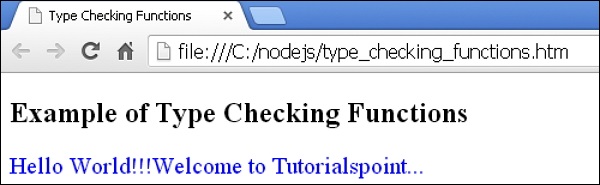
在浏览器中打开此 HTML 文件,将显示以下输出。
 less_mixin_guards.html
