MEAN.JS - MEAN 项目设置
本章包括创建和设置 MEAN 应用程序。我们结合使用 NodeJS 和 ExpressJS 来创建项目。
先决条件
在开始创建 MEAN 应用程序之前,我们需要安装所需的先决条件。
您可以通过访问 Node.js 网站 Node.js(适用于 Windows 用户)来安装最新版本的 Node.js。当您下载 Node.js 时,npm 将自动安装在您的系统上。 Linux 用户可以使用此 链接 安装 Node 和 npm。
使用以下命令检查 Node 和 npm 的版本 −
$ node --version
$ npm --version
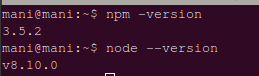
命令将显示版本,如下图所示 −
创建 Express 项目
使用 mkdir 命令创建项目目录,如下所示 −
$ mkdir mean-demo //这是名称存储库
上述目录是节点应用程序的根目录。现在,要创建 package.json 文件,请运行以下命令 −
$ cd webapp-demo
$ npm init
init 命令将引导您完成创建 package.json 文件 −
此实用程序将引导您完成创建 package.json 文件。它仅涵盖最常见的项目,并尝试猜测合理的默认值。
See `npm help json` for definitive documentation on these fields and exactly what they do.
Use `npm install --save` afterwards to install a package and save it as a dependency in the package.json file.

Press ^C at any time to quit.
name: (mean-demo) mean_tutorial
version: (1.0.0)
description: this is basic tutorial example for MEAN stack
entry point: (index.js) server.js
test command: test
git repository:
keywords: MEAN,Mongo,Express,Angular,Nodejs
author: Manisha
license: (ISC)
About to write to /home/mani/work/rnd/mean-demo/package.json:

{
   "name": "mean_tutorial",
   "version": "1.0.0",
   "description": "this is basic tutorial example for MEAN stack",
   "main": "server.js",
   "scripts": {
      "test": "test"
   },
   "keywords": [
      "MEAN",
      "Mongo",
      "Express",
      "Angular",
      "Nodejs"
   ],
   "author": "Manisha",
   "license": "ISC"
}
Is this ok? (yes) yes
单击"是",将生成如下所示的文件夹结构 −
-mean-demo
    -package.json
package.json 文件将包含以下信息 −
{
   "name": "mean_tutorial",
   "version": "1.0.0",
   "description": "this is basic tutorial example for MEAN stack",
   "main": "server.js",
   "scripts": {
      "test": "test"
   },
   "keywords": [
      "MEAN",
      "Mongo",
      "Express",
      "Angular",
      "Nodejs"
   ],
   "author": "Manisha",
   "license": "ISC"
}
现在要将 Express 项目配置到当前文件夹并安装框架的配置选项,请使用以下命令 −
npm install express --save
转到您的项目目录并打开 package.json 文件,您将看到以下信息 −
{
   "name": "mean_tutorial",
   "version": "1.0.0",
   "description": "this is basic tutorial example for MEAN stack",
   "main": "server.js",
   "scripts": {
      "test": "test"
   },
   "keywords": [
      "MEAN",
      "Mongo",
      "Express",
      "Angular",
      "Nodejs"
   ],
   "author": "Manisha",
   "license": "ISC",
   "dependencies": {
      "express": "^4.17.1"
   }
}
在这里你可以看到 express 依赖项已添加到文件中。现在,项目结构如下 −
-mean-demo
   --node_modules created by npm install
   --package.json tells npm which packages we need
   --server.js set up our node application
运行应用程序
导航到您新创建的项目目录并创建一个包含以下内容的 server.js 文件。
// 模块 ====================================================
const express = require('express');
const app = express();
// 设置我们的端口
const port = 3000;
app.get('/', (req, res) ⇒ res.send('Welcome to Tutorialspoint!'));

// 在 http://localhost:3000 启动我们的应用程序
app.listen(port, () ⇒ console.log(`Example app listening on port ${port}!`));
接下来,使用以下命令运行应用程序 −
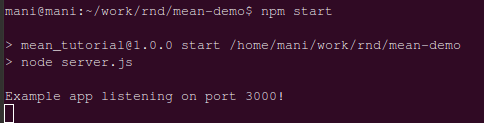
$ npm start
您将获得如下图所示的确认 −
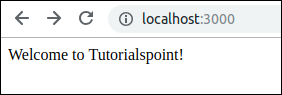
它通知 Express 应用程序正在运行。打开任何浏览器并使用 http://localhost:3000 访问该应用程序。您将看到如下所示的 Welcome to Tutorialspoint! 文本 −