
Phalcon - 设计登录页面
UsersController.php
<?php
class UsersController extends Phalcon\Mvc\Controller {
   public function indexAction() {
   }
   public function loginAction() {
      if ($this->request->isPost()) {
         $user = Users::findFirst(array(
            'login = :login: and password = :password:', 'bind' => array(
               'login' => $this->request->getPost("login"),
               'password' => $this->request->getPost("password")
            )
         ));
         if ($user === false) {
            $this->flash->error("Incorrect credentials");
            return $this->dispatcher->forward(array(
               'controller' => 'users', 'action' => 'index'
            ));
         }
         $this->session->set('auth', $user->id);
         $this->flash->success("You've been successfully logged in");
      }
      return $this->dispatcher->forward(array(
         'controller' => 'posts', 'action' => 'index'
      ));
   }
   public function logoutAction() {
      $this->session->remove('auth');
      return $this->dispatcher->forward(array(
         'controller' => 'posts', 'action' => 'index'
      ));
   }
}
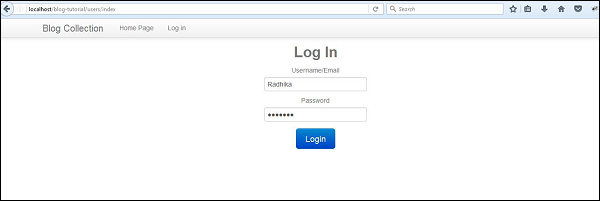
UsersController 包含登录和注销功能。它检查"Users"表记录中的关联值。如果值通过身份验证,则用户成功登录,否则会收到错误消息。
以下是上述代码的输出。
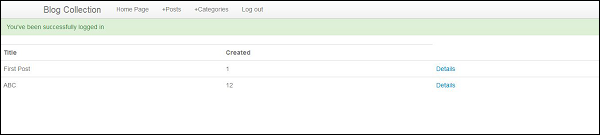
登录到 Web 应用程序后,输出将如以下屏幕截图所示。
我们将在下一章中研究如何实现视图,重点介绍类别和帖子管理。
 phalcon_scaffolding_application.html

