SharePoint - 功能\事件接收器
在本章中,我们将学习添加代码句柄。 代码句柄是激活或停用功能时引发的事件。 换句话说,我们将检查功能接收器。
我们在上一章中创建的 Visual Studio 项目有一个功能,当它被激活时,它会配置我们的联系人列表、SitePage 以及指向 SitePage 的链接。
但是,当该功能停用时,SharePoint 仅删除链接,SitePage 和联系人列表仍然保留。
如果我们愿意,我们可以在功能停用时编写代码来删除列表和页面。 在本章中,我们将学习如何在功能停用时删除内容和元素。
为了处理功能的事件,我们需要一个功能接收器。
步骤 1 − 要获取功能接收器,请右键单击解决方案资源管理器中的功能,然后选择添加事件接收器。
using System;
using System.Runtime.InteropServices;
using System.Security.Permissions;
using Microsoft.SharePoint;

namespace FeaturesAndElements.Features.Sample {
   /// <summary>
      /// This class handles events raised during feature activation, deactivation,
         installation, uninstallation, and upgrade.
   /// </summary>
   /// <remarks>
      /// The GUID attached to this class may be used during packaging and should not be modified.
   /// </remarks>
   [Guid("e873932c-d514-46f9-9d17-320bd3fbcb86")]

   public class SampleEventReceiver : SPFeatureReceiver {
      // Uncomment the method below to handle the event raised after a feature has been activated.
      //public override void FeatureActivated(SPFeatureReceiverProperties properties)//{
         //
      }
      // Uncomment the method below to handle the event raised before a feature is deactivated.
      //public override void FeatureDeactivating(SPFeatureReceiverProperties properties)// {
         //
      }
      // Uncomment the method below to handle the event raised after a feature has been installed.
      //public override void FeatureInstalled(SPFeatureReceiverProperties properties)// {
         //
      }
      // Uncomment the method below to handle the event raised before a feature is uninstalled.
      //public override void FeatureUninstalling(SPFeatureReceiverProperties properties)// {
         //
      }
      // Uncomment the method below to handle the event raised when a feature is upgrading.
      //public override void FeatureUpgrading(SPFeatureReceiverProperties
         properties, string upgradeActionName,
         System.Collections.Generic.IDictionary<string, string> parameters) // {
         //
      }
   }
}
你可以看到我们得到的是一个继承自SPFeatureReceiver的类。
在 SharePoint 中,您可以处理不同类型的事件的不同类。 例如,列表上的事件、列表项上的事件、网站上的事件。 您可以创建一个从特定事件接收器派生的类,然后您可以重写该类内部的方法来处理事件。
功能的事件在其被使用时被使用 −
- Activated
- Deactivated
- Installed
- Uninstalled
- Upgrading
接下来,您需要将该类附加为特定项目的事件处理程序。 例如,如果有一个处理列表事件的事件处理程序,则需要将该类附加到列表。
因此,我们将处理两个功能 −
当该功能被激活时
当它被停用时。
步骤 2 − 我们将实现FeatureActivated和FeatureDeactivated方法,如下所示 −
using System;
using System.Runtime.InteropServices;
using System.Security.Permissions;
using Microsoft.SharePoint;

namespace FeaturesAndElements.Features.Sample {
   /// <summary>
      /// This class handles events raised during feature activation, deactivation,
         installation, uninstallation, and upgrade.
   /// </summary>
   /// <remarks>
      /// The GUID attached to this class may be used during packaging and should
         not be modified.
   /// </remarks>

   [Guid("e873932c-d514-46f9-9d17-320bd3fbcb86")]
   public class SampleEventReceiver : SPFeatureReceiver {
      private const string listName = "Announcements";

      public override void FeatureActivated(SPFeatureReceiverProperties properties) {
         var web = properties.Feature.Parent as SPWeb;

         if (web == null) return;
         var list = web.Lists.TryGetList(listName);

         if (list != null) return;
         var listId = web.Lists.Add(listName, string.Empty,
         SPListTemplateType.Announcements);
         list = web.Lists[listId];
         list.OnQuickLaunch = true;
         list.Update();
      }
      public override void FeatureDeactivating(SPFeatureReceiverProperties properties) {
         var web = properties.Feature.Parent as SPWeb;

         if (web == null) return;
         var list = web.Lists.TryGetList(listName);

         if (list == null) return;
         if (list.ItemCount == 0) {
            list.Delete();
         }
      }
   }
}
注意 −
激活该功能后,我们将创建一个公告列表。
当该功能停用时,我们将检查公告列表是否为空,如果是,我们将删除它。
步骤 3 − 现在右键单击该项目并选择部署。 您将看到以下部署冲突警告。
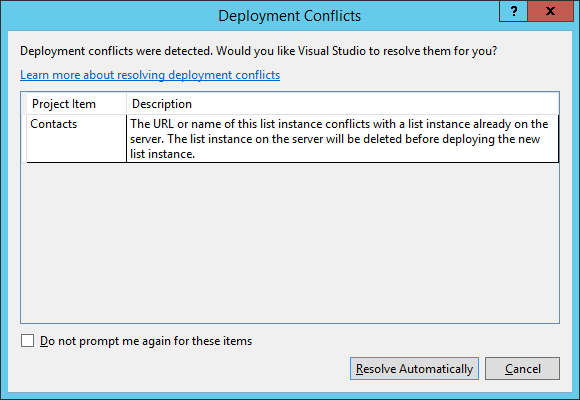
Visual Studio 告诉我们,我们正在尝试创建一个名为"联系人"的列表,但网站中已经有一个名为"联系人"的列表。 它询问我们是否要覆盖现有列表,在这种情况下单击解决。
步骤 4 − 返回 SharePoint,然后刷新您的网站并转到 Site Actions → Site settings → Manage site features → Sample feature。
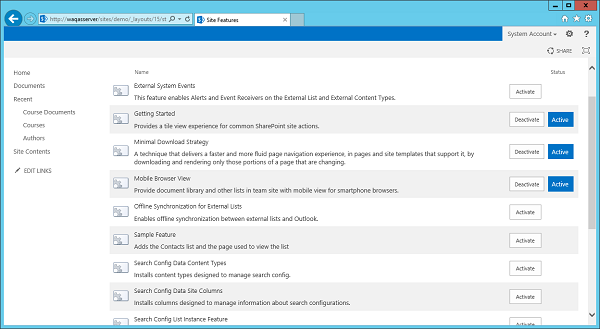
您可以看到左侧窗格中没有公告列表。
步骤 5 − 让我们激活示例功能,您将看到公告列表,但现在它是空的。
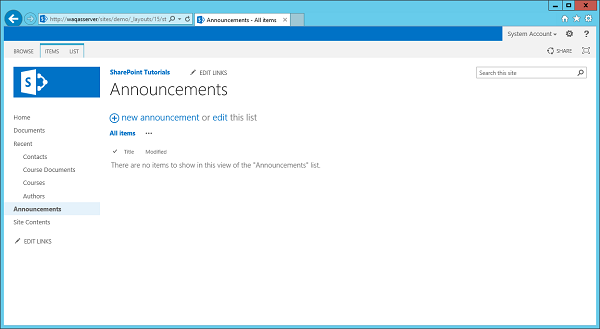
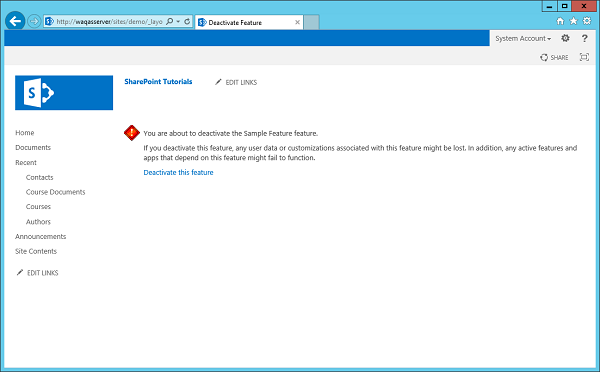
注意 − 如果您停用示例功能,您会注意到公告列表消失了。
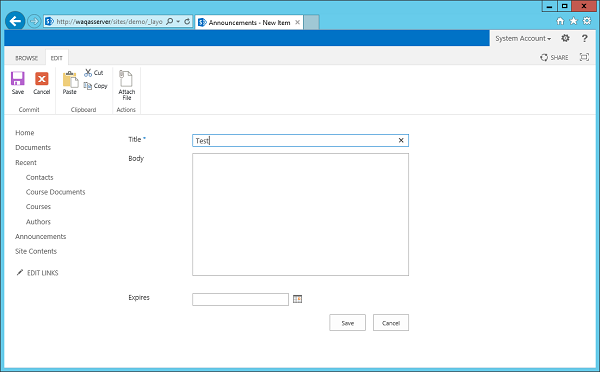
步骤 6 − 让我们重新激活该功能。 转到公告,然后添加新公告。 我们将调用此测试,然后单击"保存"。
您将在公告下看到测试文件。
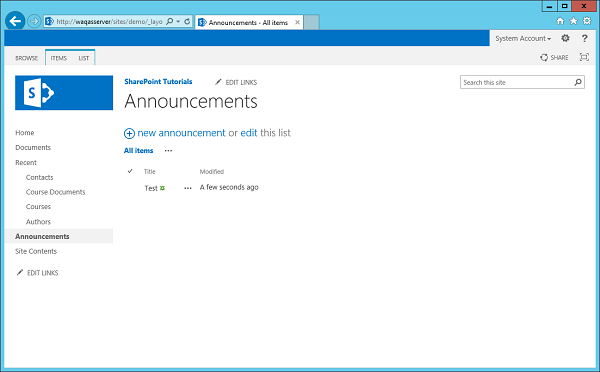
现在,当您停用公告时,您将看到公告列表保留下来,因为它不为空。