Apache Tapestry - 表单和验证组件
Form 表单组件用于在 Tapestry 页面中创建表单以供用户输入。 表单可以包含文本字段、日期字段、复选框字段、选择选项、提交按钮等。
本章详细介绍了一些值得注意的表单组件。
Checkbox 复选框组件
复选框组件用于在两个互斥选项之间进行选择。 使用复选框创建页面,如下所示 −
Checkbox.java
package com.example.MyFirstApplication.pages;

import org.apache.tapestry5.annotations.Property;

public class Checkbox {
   @Property
   private boolean check1;

   @Property
   private boolean check2;
}
现在,创建相应的模板Checkbox.tml,如下所示 −
<html t:type = "newlayout" title = "About MyFirstApplication"
   xmlns:t = "http://tapestry.apache.org/schema/tapestry_5_4.xsd"
   xmlns:p = "tapestry:parameter">

   <h3> checkbox component</h3>
   <t:form>
      <t:checkbox t:id = "check1"/> I have a bike <br/>
      <t:checkbox t:id = "check2"/> I have a car
   </t:form>

</html>
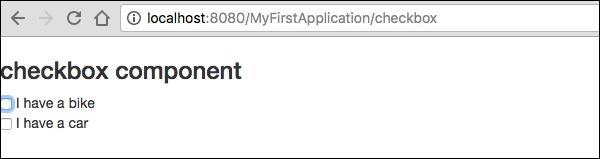
这里,复选框参数 id 与相应的布尔值匹配。
结果 − 请求页面后,http://localhost:8080/myFirstApplication/checkbox 会产生以下结果。
TextField 文本字段组件
TextField 组件允许用户编辑单行文本。 创建页面文本,如下所示。
Text.java
package com.example.MyFirstApplication.pages;

import org.apache.tapestry5.annotations.Property;
import org.apache.tapestry5.corelib.components.TextField;public class Text {
   @Property
   private String fname;
   @Property
   private String lname;
}
然后,创建对应的模板,如下图 – Text.tml
<html t:type = "newlayout" title = "About MyFirstApplication"
   xmlns:t = "http://tapestry.apache.org/schema/tapestry_5_4.xsd"
   xmlns:p = "tapestry:parameter">
   <p> Form application </p>

   <body>
      <h3> Text field created from Tapestry component </h3>
      <t:form>
         <table>
            <tr>
               <td>
                  Firstname: </td> <td><t:textfield t:id = "fname" />
               </td>
               <td>Lastname: </td> <td> <t:textfield t:id = "lname" /> </td>
            </tr>
         </table>
      </t:form>
   </body>

</html>
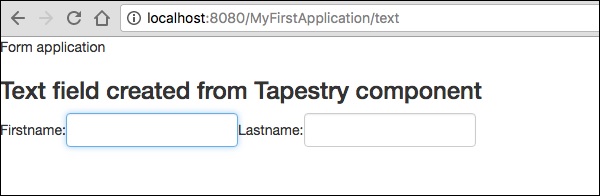
此处,文本页面包含名为 fname 和 lname 的属性。 组件 ID 通过属性访问。
请求该页面将产生以下结果 −
http://localhost:8080/myFirstApplication/Text
PasswordField 密码字段组件
PasswordField 是一个专门用于输入密码的文本字段。 创建页面密码如下图 −
Password.java
package com.example.MyFirstApplication.pages;

import org.apache.tapestry5.annotations.Property;
import org.apache.tapestry5.corelib.components.PasswordField;

public class Password {
   @Property
   private String pwd;
}
现在创建对应的模板文件如下图 −
Password.tml
<html t:type = "newlayout" title = "About MyFirstApplication"
   xmlns:t = "http://tapestry.apache.org/schema/tapestry_5_4.xsd"
   xmlns:p = "tapestry:parameter">
   <p> Form application </p>
   <h3> Password field created from Tapestry component </h3>

   <t:form>
      <table>
         <tr>
            <td> Password: </td>
            <td><t:passwordfield t:id = "pwd"/> </td>
         </tr>
      </table>
   </t:form>

</html>
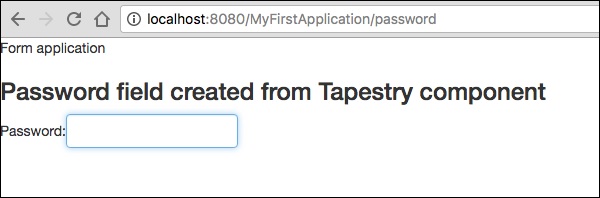
这里,PasswordField 组件具有参数 id,它指向属性 pwd。 请求该页面将产生以下结果 −
http://localhost:8080/myFirstApplication/Password
TextArea 文本区域组件
TextArea 组件是一个多行输入文本控件。 创建一个页面TxtArea,如下所示。
TxtArea.java
package com.example.MyFirstApplication.pages;

import org.apache.tapestry5.annotations.Property;
import org.apache.tapestry5.corelib.components.TextArea;

public class TxtArea {
   @Property
   private String str;
}
然后,创建相应的模板文件如下所示。
TxtArea.tml
<html t:type = "newlayout" title = "About MyFirstApplication"
   xmlns:t = "http://tapestry.apache.org/schema/tapestry_5_4.xsd"
   xmlns:p = "tapestry:parameter">
   <h3>TextArea component </h3>

   <t:form>
      <table>
         <tr>
            <td><t:textarea t:id = "str"/>
            </td>
         </tr>
      </table>
   </t:form>

</html>
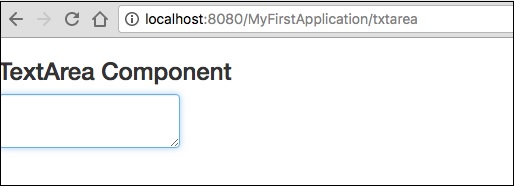
这里,TextArea组件参数id指向属性"str"。 请求该页面将产生以下结果 −
http://localhost:8080/myFirstApplication/TxtArea**
Select 选择组件
Select 选择组件包含一个选项下拉列表。 创建一个 SelectOption 页面,如下所示。
SelectOption.java
package com.example.MyFirstApplication.pages;

import org.apache.tapestry5.annotations.Property;
import org.apache.tapestry5.corelib.components.Select;

public class SelectOption {
   @Property
   private String color0;

   @Property

   private Color1 color1;
   public enum Color1 {
      YELLOW, RED, GREEN, BLUE, ORANGE
   }
}
然后,创建对应的模板如下 −
SelectOption.tml
<html t:type = "newlayout" title = "About MyFirstApplication"
   xmlns:t = "http://tapestry.apache.org/schema/tapestry_5_4.xsd"
   xmlns:p = "tapestry:parameter">
   <p> Form application </p>
   <h3> select component </h3>

   <t:form>
      <table>
         <tr>
            <td> Select your color here: </td>
            <td> <select t:type = "select" t:id = "color1"></select></td>
         </tr>
      </table>
   </t:form>

</html>
这里,Select 组件有两个参数 −
Type − 属性的类型是枚举。
Id − Id 指向 Tapestry 属性"color1"。
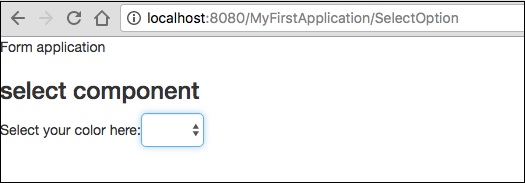
请求该页面将产生以下结果 −
http://localhost:8080/myFirstApplication/SelectOption
RadioGroup 组件
RadioGroup 组件为Radio组件提供了一个容器组。 Radio 和RadioGroup 组件协同工作来更新对象的属性。 该组件应该包裹其他 Radio 组件。 创建一个新页面"Radiobutton.java",如下所示 −
Radiobutton.java
package com.example.MyFirstApplication.pages;

import org.apache.tapestry5.PersistenceConstants;
import org.apache.tapestry5.annotations.Persist;
import org.apache.tapestry5.annotations.Property;

public class Radiobutton {
   @Property
   @Persist(PersistenceConstants.FLASH)
   private String value;
}
然后,创建对应的模板文件如下图 −
Radiobutton.tml
<html t:type = "Newlayout" title = "About MyFirstApplication"
   xmlns:t = "http://tapestry.apache.org/schema/tapestry_5_4.xsd"
   xmlns:p = "tapestry:parameter">
   <h3>RadioGroup component </h3>

   <t:form>
      <t:radiogroup t:id = "value">
         <t:radio t:id = "radioT" value = "literal:T" label = "Male" />
         <t:label for = "radioT"/>
         <t:radio t:id = "radioF" value = "literal:F" label = "Female"/>
         <t:label for = "radioF"/>
      </t:radiogroup>
   </t:form>

</html>
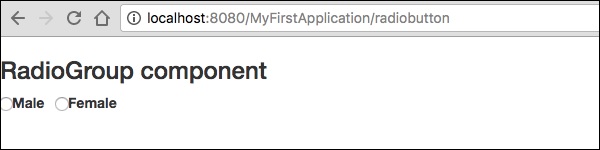
这里,RadioGroup 组件 id 与属性"value"绑定。 请求该页面将产生以下结果。
http://localhost:8080/myFirstApplication/Radiobutton
Submit 提交组件
当用户单击提交按钮时,表单将发送到标记的操作设置中指定的地址。 创建一个页面SubmitComponent,如下所示。
package com.example.MyFirstApplication.pages;
import org.apache.tapestry5.annotations.InjectPage;

public class SubmitComponent {
   @InjectPage
   private Index page1;
   Object onSuccess() {
      return page1;
   }
}
现在,创建相应的模板文件,如下所示。
SubmitComponent.tml
<html t:type = "newlayout" title = "About MyFirstApplication"
   xmlns:t = "http://tapestry.apache.org/schema/tapestry_5_4.xsd"
   xmlns:p = "tapestry:parameter">
   <h3>Tapestry Submit component </h3>

   <body>
      <t:form>
         <t:submit t:id = "submit1" value = "Click to go Index"/>
      </t:form>
   </body>

</html>
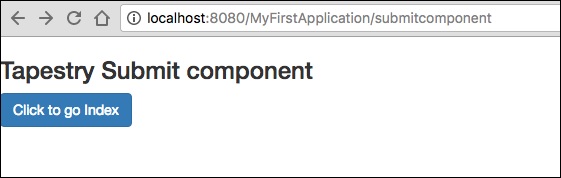
此处,提交组件将值提交到索引页。 请求该页面将产生以下结果 −
http://localhost:8080/myFirstApplication/SubmitComponent
表单验证
表单验证通常在客户端输入所有必要数据并提交表单后在服务器上进行。 如果客户端输入的数据不正确或丢失,服务器必须将所有数据发送回客户端并请求使用正确的信息重新提交表单。
让我们考虑以下简单示例来了解验证过程。
创建页面验证,如下所示。
Validate.java
package com.example.MyFirstApplication.pages;

import org.apache.tapestry5.annotations.Property;
import org.apache.tapestry5.PersistenceConstants;
import org.apache.tapestry5.annotations.Persist;

public class Validate {
   @Property
   @Persist(PersistenceConstants.FLASH)
   private String firstName;

   @Property
   @Persist(PersistenceConstants.FLASH)
   private String lastName;
}
现在,创建相应的模板文件,如下所示。
Validate.tml
<html t:type = "newlayout" title = "About MyFirstApplication"
   xmlns:t = "http://tapestry.apache.org/schema/tapestry_5_4.xsd"
   xmlns:p = "tapestry:parameter">

   <t:form>
      <table>
         <tr>
            <td><t:label for = "firstName"/>:</td>
            <td><input t:type = "TextField" t:id = "firstName"
            t:validate = "required, maxlength = 7" size = "10"/></td>
         </tr>
         <tr>
            <td><t:label for = "lastName"/>:</td>
            <td><input t:type = "TextField" t:id = "lastName"
            t:validate = "required, maxLength = 5" size = "10"/></td>
         </tr>
      </table>
      <t:submit t:id = "sub" value =" Form validation"/>
   </t:form>

</html>
表单验证有以下重要参数 −
Max − 定义最大值,例如 = «maximum value, 20».
MaxDate − 定义 maxDate,例如 = «maximum date, 06/09/2013»。 同样,您也可以分配 MinDate。
MaxLength − maxLength for e.g. = «maximum length, 80».
Min − 最小值。
MinLength − 最小长度,例如 = «minmum length, 2»。
Email − 电子邮件验证使用标准电子邮件正则表达式 ^\w[._\w]*\w@\w[-._\w]*\w\.\w2,6$ 或不使用。
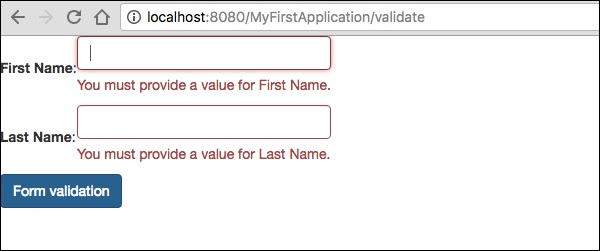
请求该页面将产生以下结果 −
http://localhost:8080/myFirstApplication/Validate