
如何在 HTML5 中将图像显示在 SVG 圆圈内?
htmlweb developmentfront end technology更新于 2025/12/23 18:20:17
要在 SVG 圆圈内显示图像,请使用 <circle> 元素并设置剪切路径。<clipPath> 元素用于定义剪切路径。SVG 中的图像使用 <image> 元素设置。
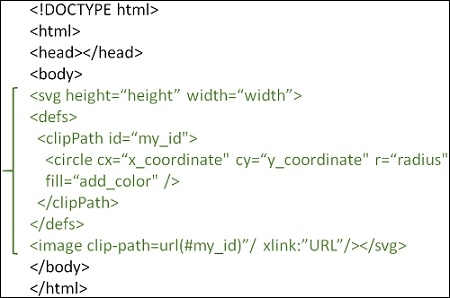
示例
您可以尝试运行以下代码,了解如何在 HTML5 中将图像显示在 SVG 圆圈内
<!DOCTYPE html>
<html>
   <head>
      <title>HTML5 SVG Image</title>
   <head>
   <body>
      <svg width="500" height="350">
         <defs>
            <clipPath id="myCircle">
               <circle cx="250" cy="145" r="125" fill="#FFFFFF" />
            </clipPath>
         </defs>
         <image width="500" height="350" xlink:href="https://www.cainiaomax.com/videotutorials/images/coding_ground_home.jpg" clip-path="url(#myCircle)" />
      </svg>
   </body>
</html>
相关文章
有用资源
html 参考教程 - 该教程包含有关 html 的更多信息:https://www.cainiaomax.com/html/

