
如何在 Android 中使布局垂直滚动?
androidmobile developmentapps/applications更新于 2026/2/2 7:52:17
在开始示例之前,我们应该了解什么是垂直滚动视图 (Scroll View)。垂直滚动视图由 android.widget.ScrollView 类提供。它用于在垂直方向上滚动子视图。
此示例演示了如何使用垂直滚动视图。
步骤 1 − 在 Android Studio 中创建一个新项目,转到"文件"->"新建项目",并填写所有必需的详细信息以创建新项目。
步骤 2 − 将以下代码添加到 res/layout/activity_main.xml。
<?xml version="1.0" encoding="utf-8"?>
<LinearLayout xmlns:android="http://schemas.android.com/apk/res/android"
   android:layout_width="match_parent"
   android:id="@+id/layout"
   android:layout_height="match_parent">
   <ScrollView
      android:layout_width="match_parent"
      android:layout_height="match_parent">
      <LinearLayout
         android:layout_width="match_parent"
         android:orientation="vertical"
         android:layout_height="match_parent">
         <ImageView
            android:layout_width="match_parent"
            android:background="#c1c1c1"
            android:layout_height="300dp"
            android:src="@drawable/a"/>
         <ImageView
            android:layout_width="match_parent"
            android:background="#c1c1c1"
            android:layout_height="300dp"
            android:layout_marginTop="30dp"
            android:src="@drawable/b"/>
         <ImageView
            android:layout_width="match_parent"
            android:background="#c1c1c1"
            android:layout_height="300dp"
            android:layout_marginTop="30dp"
            android:src="@drawable/c"/>
         <ImageView
            android:layout_width="match_parent"
            android:background="#c1c1c1"
            android:layout_height="300dp"
            android:layout_marginTop="30dp"
            android:src="@drawable/d"/>
         <ImageView
            android:layout_width="match_parent"
            android:background="#c1c1c1"
            android:layout_height="300dp"
            android:layout_marginTop="30dp"
            android:src="@drawable/e"/>
      </LinearLayout>
   </ScrollView>
</LinearLayout>
在上面的代码中,我们声明了线性布局作为父视图,并添加了垂直滚动视图。垂直滚动视图会将其子视图沿垂直方向滚动,因此我们创建了线性布局作为垂直滚动视图的子视图,并为线性布局添加了子视图。我们提供了五个可供滚动的子图像视图。
步骤 3 减:无需更改 manifest.xml 和活动。
让我们尝试运行您的应用程序。假设您已将实际的 Android 移动设备连接到电脑。要从 Android Studio 运行该应用程序,请打开项目的某个活动文件,然后单击工具栏中的"运行"图标  。选择您的移动设备作为选项,然后检查您的移动设备是否显示您的默认屏幕 −
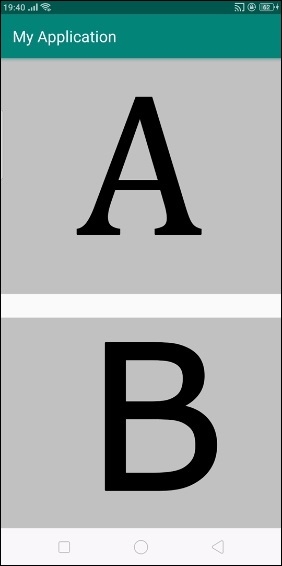
上面的结果是初始屏幕,当您垂直滚动时,它将如下图所示滚动-
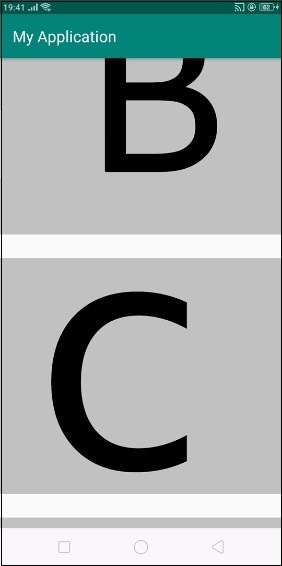
在上面的结果中,我们正在垂直滚动图像视图。
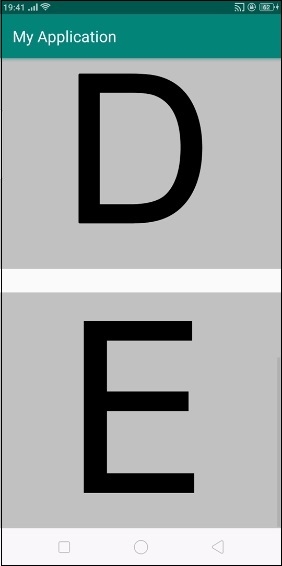
最终它将到达垂直滚动视图的最后一个位置,如上所示。
点击此处下载项目代码

